4
DpS-Visio
Note! Never leave water in the Dp
sensor unit when risk of freezing
exists (i.e., in the car during winter).
!
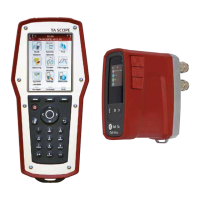
LED for battery status
Information bar
Icons on the Information bar display details of
battery status, connection type and intensity.
Main display
Shows status and measurement, see page 5,
6 and 8.
Function keys
Arrow button
- Press button to start measurement or
change settings
On/O button
-Longpressforswitchingunitonoro
-Shortpressfordisplayonoro
Navigate button
- Jump between menus
The display is divided into three areas, the
Information bar, the Main display and the
Function keys.
Connections for cables
Handheld connections
1 Charger
2 USB to PC
3 Temperature probe (SPTP or DTS)
4 USB to Dp Sensor
DpS-Visio connections
1 Temperature probe 1 (SPTP or DTS)
2 Temperature probe 2 (SPTP or DTS)
3 Charger and USB to Handheld
1
2
3 4
1
2
3


 To Next Page