3
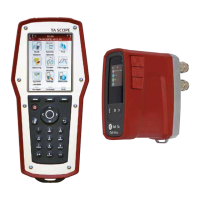
Handheld
The display is divided into three areas, the
Information bar, the Main display and the
Function keys.
Information bar
Icons on the Information bar display details of
battery status, connection type and intensity.
Main display
Instructions on how to carry out hydronic
functions are shown on the Main display.
Function keys
The three top keys on the keypad are
used for selecting options shown in
the lower part of the Main display. The
options vary depending on which menu is
currently shown.
Information Bar Icons
Keyboard Icons
Function key
Options depend on text in display
On/Off
Flow adjustment (Computer method)
Short cut button
Return/Escape
Enter
Navigation up/down
Navigation right/left
Alphanumeric
0-9, A-Z plus symbols
Battery status bar
Charging of battery
Battery symbol
Handheld
Dp sensor DpS-Visio
Wireless communication
Intensity of wireless signal
Wireless signal set to Off
Connection by cable
Dp sensor (older version)
Information Bar Icons
Keyboard Icons
Function key
Options depend on text in display
On/Off
Flow adjustment (Computer method)
Short cut button
Return/Escape
Enter
Navigation up/down
Navigation right/left
Alphanumeric
0-9, A-Z plus symbols
Battery status bar
Charging of battery
Battery symbol
Handheld
Dp sensor DpS-Visio
Wireless communication
Intensity of wireless signal
Wireless signal set to Off
Connection by cable
Dp sensor (older version)
Press function key “Language”
to select desired language.
Keypad
The keypad has alphanumeric keys. Select
a letter by repeatedly pressing the key until
the desired letter appears. Prolonged press
enters a digit.


 To Next Page