9
Transfer of data
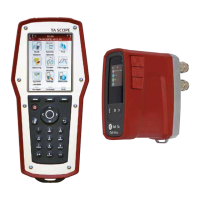
ConnectTA-SCOPEtoyourPCtotransfer
data, e.g., hydronic networks and collected
system information to and from the HySelect
software.
Use the USB-cable to connect the Handheld
to a PC and the HySelect software will
automaticallyconnecttoTA-SCOPE.Simply
follow the instructions on the PC.
Software upgrade
WhenanewversionoftheTA-SCOPE
software is available, HySelect will
automatically suggest an upgrade. Simply
connectyourTA-SCOPEandfollowthe
instructions on the PC.
PC communication
Download HySelect
Download and install HySelect from
www.imi-hydronic.com.
Calibration/Service
The instrument (Dp sensors, temperature
sensors) has been calibrated before delivery.
IMIHydronicEnglineeringrecommend
a yearly calibration and service. (See
Guarantee/Calibration/Service form).
Contactyourlocalsalesoceformore
information.
-TA-SCOPEcanbecleansedwithadamped
cloth and a lenient cleaning-agent.
-Changelterinthehosesregulary.
- Never leave water in the Dp Sensor when
risk of freezing exists (i.e., in a car during
winter)!
- Do not expose to extreme temperatures, the
batterymayexplodeifdisposedofinre.
- Storage above 140° F is not allowed.
-Otherusagethanspeciedinthismanual
may cause damage to the unit or user.
Care and storage recommendations
Warning! Do not open the instrument. This can damage the instrument and void
your guarantee! See user manual for further information.


 To Next Page