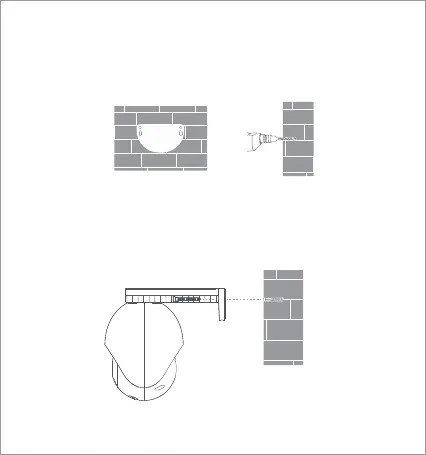
1. Attach the wall mounting positioning sticker on the desired
installation location on a wall. Drill two holes at the positions
indicated on the sticker. The drilling diameter should be around 6.0
mm with a depth of around 30 mm.
2. Insert two plastic expansion nuts into the wall. Put the base plate
on the wall. Secure the base plate by inserting the screws into the
expansion nuts.
Note: The product must be hung horizontally after installation (see
below).
• Wall mounting
06



 To Next Page