Your Home
Tap to add a device
My devices
4G
4:19
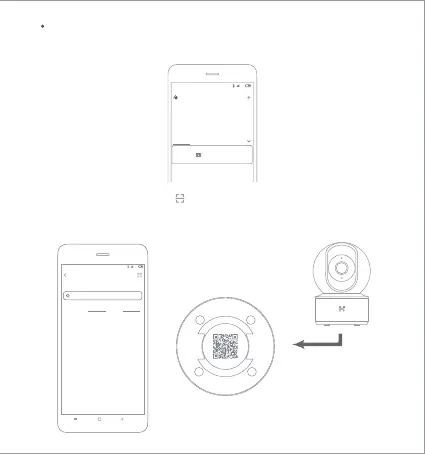
2.Please click the top right “ ” to scan the QR code on the camera boom,
or search “IMILAB Home Security Camera Basic” to found device.
Connect to the Camera
1.Open MI Home app, Click the top right corner “ + ” to add device.
IMILAB Home Security Camera Basic
Device nearby Add manually
4G
4:19
Add device
Camera
Video camera



 To Next Page