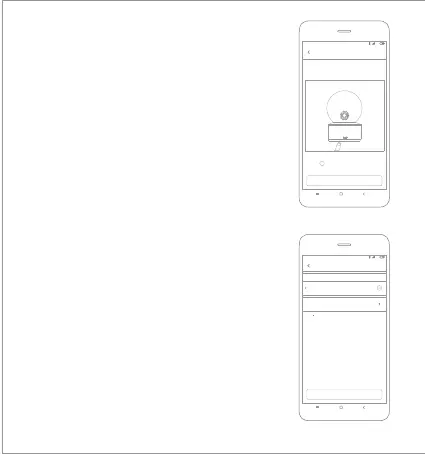
Wait until you hear a voice prompt
Next
4G
4:19
Connect to the camera
Press and hold the reset button for 3 seconds.The reset is
IMILAB Home Security Camera Basic
successful once the indicator light turns into yellow
3.Enter to the camera set up page, Hold the reset
buon back of camera 3 Seconds until the indicator
turns yellow, and hear the voice notification “
waiting for connecting” from camera, then click
NEXT.
4.Please Select network to connect (only support
to 2.4GHz network), then click NEXT;
Next
4G
4:19
Select router
ilab2
Connect to another router
Can t find router to connect?
Saved
IMILAB Home Security Ca
...



 To Next Page