Calibration
Even though the rapidFIRE is calibrated in the factory, it is possible that over time it will need
recalibrating. This calibration removes any slight differences in RSSI reading between the two
receiver modules.
1. Tune to RaceBand Channel 5 (or IRC channel 4, approx 5800MHz)
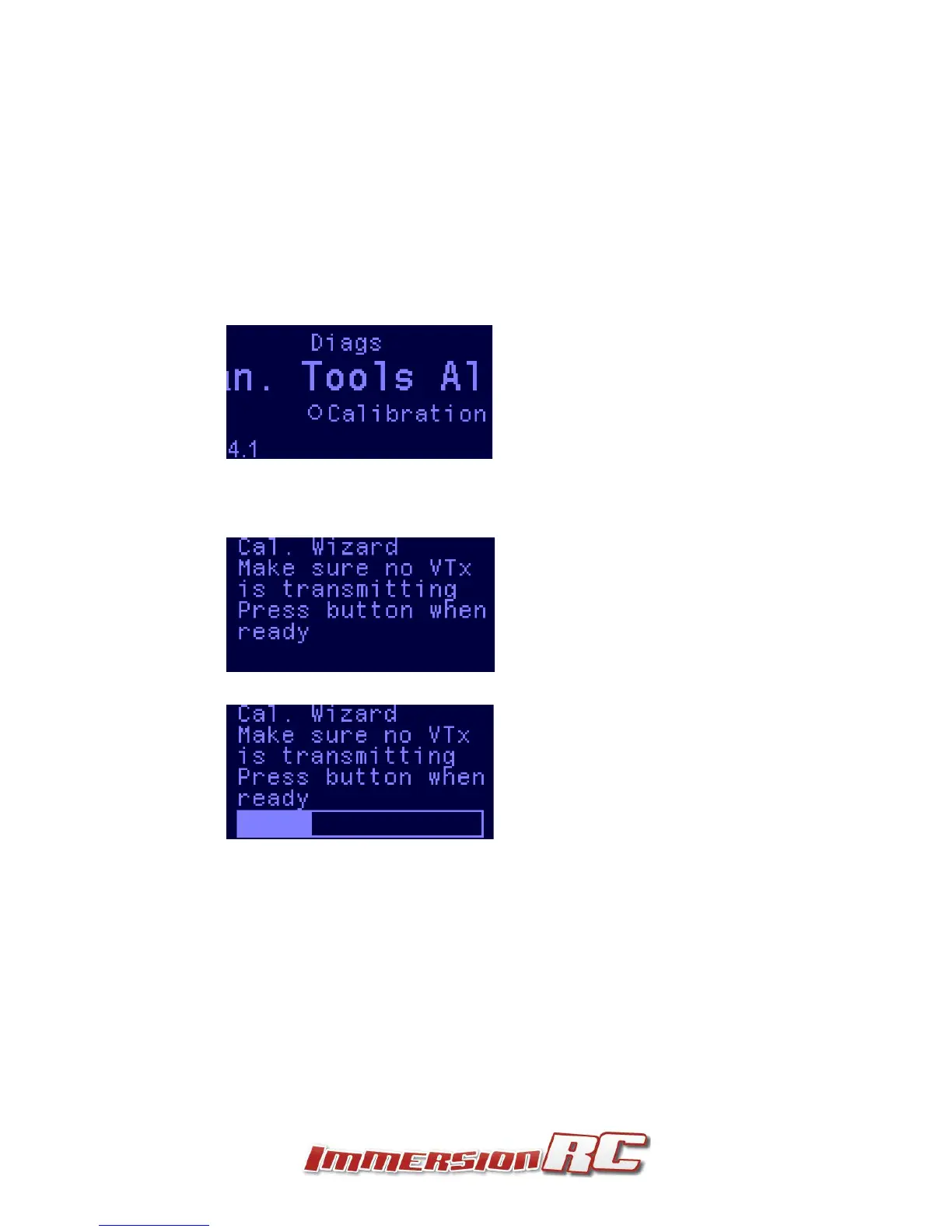
2. Enter the calibration menu from the Tools menu
3. Remove antennas, and ensure that you are not anywhere near a transmitting video
transmitter.
4. Press the joystick center button when ready.
5. Wait for the progress bar to complete.
6. Now turn on a transmitter, on the frequency selected above, and place it about 2 meters (6
feet) from the receiver
7. Press the joystick center button when ready
8. While the progress bar is moving, move the goggles around a bit
9. Once calibration is complete, a summary screen will show the calibration status (with
success/fail).


 To Next Page