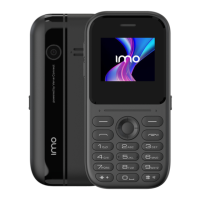
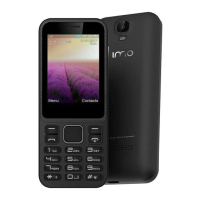
- Main display: will show if any
appointments are scheduled for the
day
- Change the Home screen wallpaper:
From the Home screen press the
Centre soft key, press the navigation
key to select the Settings icon (insert
gear icon) > Display > Wallpaper >
Static wallpaper or More pictures
Select a new image and press the Left
soft key to save. Exit and the new
image will be displayed on your Home
screen.
1.8 App list
- Press the Left soft key or Centre soft key to enter
the phone’s App list.
1.9 Lock / Unlock your screen
In idle mode press the Power key once and the display will
turn off. Press the Power key again and the phone screen is
locked.
To unlock the screen press the Left soft key once followed by
the Right soft key.
2. Phone Calls
2.1 Making a call
Dial the desired number using the phone keypad, press the
Call key to place the call or press the Right soft key to select a
contact from Contacts. You can use the up or down action of
the Navigation key to select the desired contact and then
press the Call key. If you make a mistake you can delete the
incorrect digits by pressing the Left soft key. To finish the call
press the End key.
To call a contact in your call list press the Call key once and
you will see your previously Dialled phone numbers /
Contacts. In this menu you can view your Missed, Dialled,
Received and Rejected Calls lists.
To make an international press * key twice to enter the “+”
then enter the international country prefix followed by the
phone number and press the Call key.
To make an Emergency call dial the emergency number and
press the Call key to place the call. This will work even if the
phone does not have a SIM card.
2.2 Answer or Decline a call
When you receive a call:
- Press the Left soft key or Call key to answer
- Press the Right soft key or End key to decline
2.3 Calling Voicemail
Voicemail is a service provided by your network operator.



 To Next Page