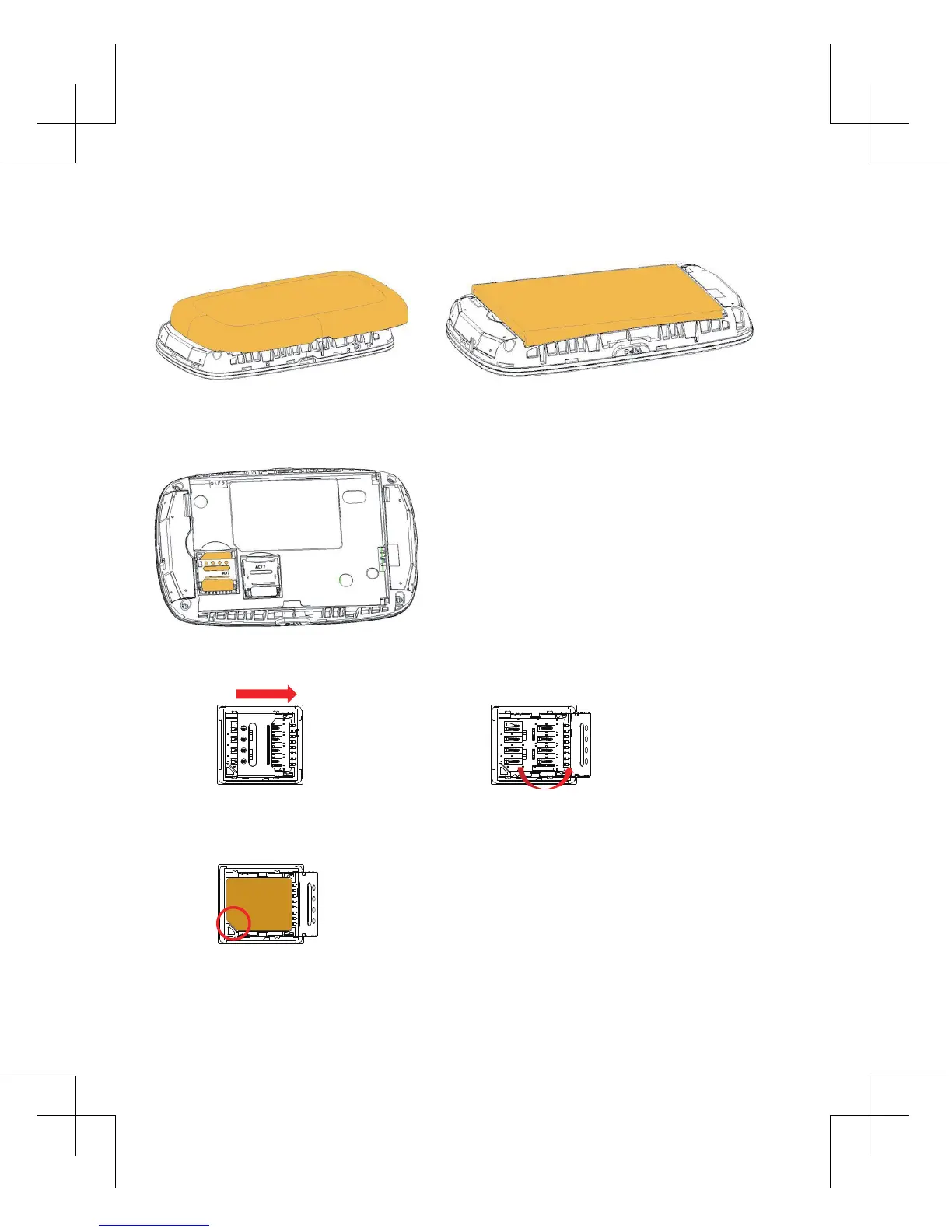
(U)SIM card installaon instrucon
Open the back cover, remove the baery.
Insert (U)SIM card into the slot.
Installaon Details
1 2
3
Slide to unlock the Card slot cover according to the direcon of FIG. 1.
Open it following the direcon indicaon of FIG. 2.
Note the gap direcon, the metal part of SIM card is facing down in the SIM
card slot .(FIG. 3)


 To Next Page