2. PowerOn/OffButton
◦
Poweron/off:Pressandholduntilhearingpromptvoice,greenLEDlightson/off
◦
Turnon/offAPmode:double-click,redandbluelightsflashalternately/off
3. IndicatorLightandDeviceStatus
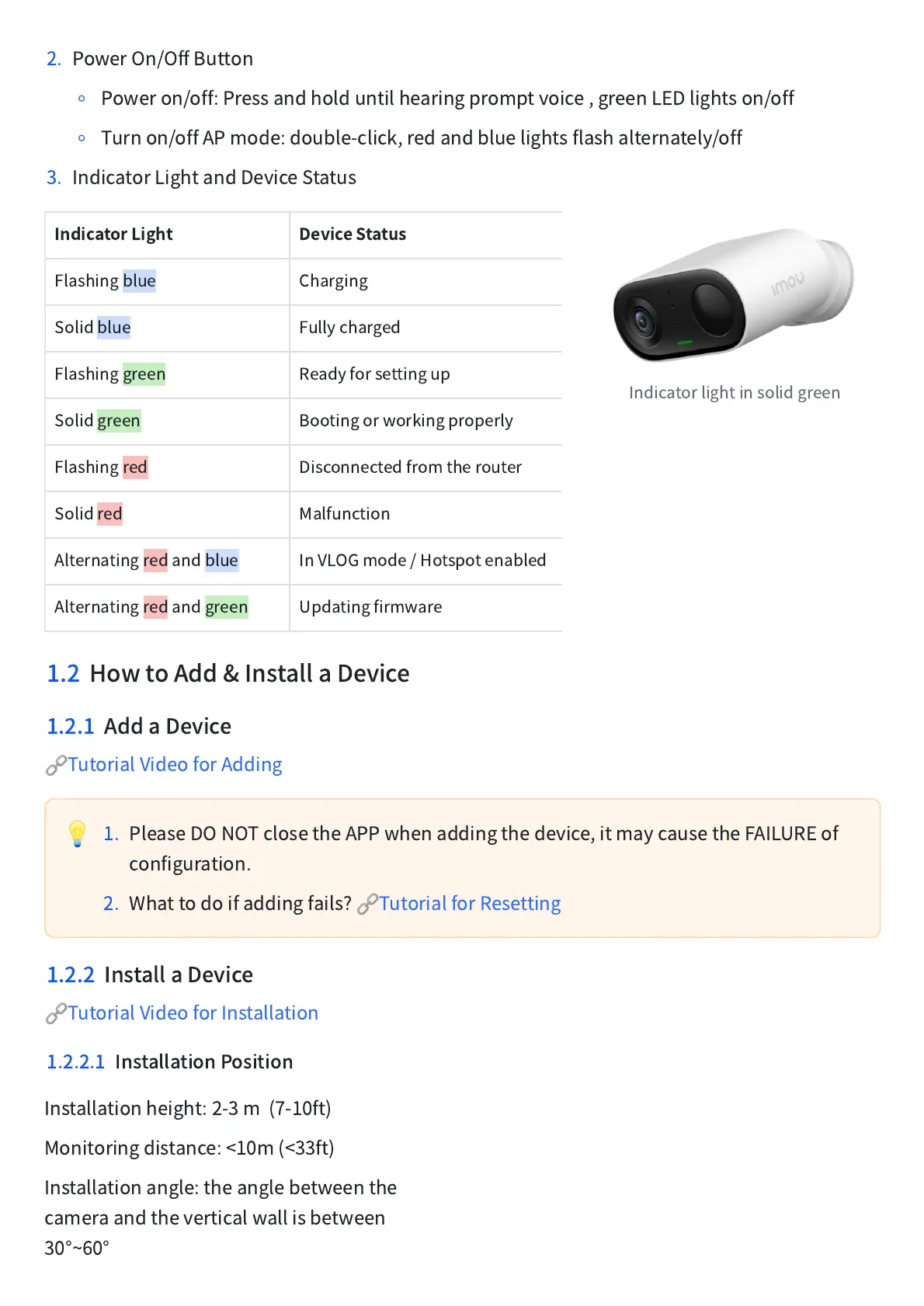
Bootingorworkingproperly
Disconnectedfromtherouter
Alternatingredandblue
InVLOGmode/Hotspotenabled
Alternatingredandgreen
Indicatorlightinsolidgreen
1.2 HowtoAdd&InstallaDevice
1.2.1 AddaDevice
🔗
TutorialVideoforAdding
💡
1. PleaseDONOTclosetheAPPwhenaddingthedevice,itmaycausetheFAILUREof
configuration.
2. Whattodoifaddingfails?
🔗
TutorialforResetting
1.2.2 InstallaDevice
🔗
TutorialVideoforInstallation
1.2.2.1 InstallationPosition
Installationheight:2-3m(7-10ft)
Monitoringdistance:<10m(<33ft)
Installationangle:theanglebetweenthe
cameraandtheverticalwallisbetween
30°~60°



 To Next Page