EasyManua.ls Logo

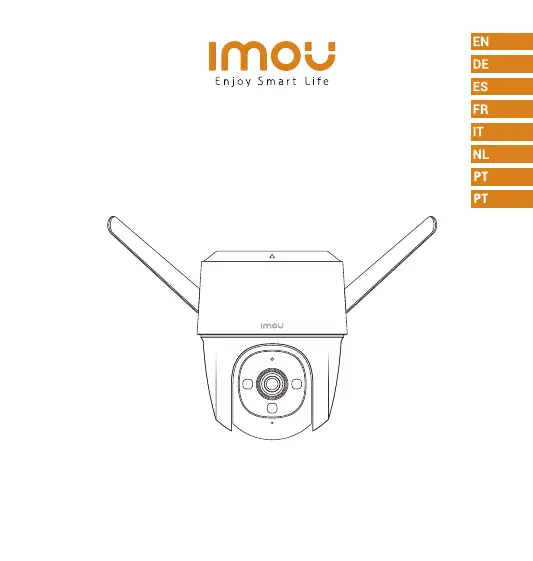
IMOU IPC-S22FP-0360B - User Manual

IMOU IPC-S22FP-0360B
9 pages
Print Icon
To Next Page IconTo Next Page
Loading...
Quick Start Guide
Cruiser

Questions and Answers

  • G
    Grace DawsonAug 8, 2025
    How to connect IMOU IPC-S22FP-0360B Security Camera to a new Wi-Fi network?
    • R
      Richard CostaAug 8, 2025
      To connect your IMOU Security Camera to a new Wi-Fi network: * If the camera is online, go to Device Details > Network Config in the app to change the Wi-Fi connection. * If the camera is offline, reset the camera and then configure it again.
  • A
    Amanda WoodAug 13, 2025
    Why does connecting to my IMOU IPC-S22FP-0360B take so long?
    • S
      Scott DunnAug 13, 2025
      If connecting to your IMOU Security Camera takes too long, ensure that the distance between the camera and the router, and between the camera and your smartphone, is within 5 meters (16.4 feet) during the connection. Also, check the router's Wi-Fi configuration: set the channel to auto and the mode to 11bgn mixed.
  • A
    Adrian LeeAug 18, 2025
    Why is my IMOU Security Camera offline?
    • T
      Terry WestAug 18, 2025
      If your IMOU Security Camera is offline, first verify that your router has an active internet connection. If the network is connected, try restarting the camera.
  • K
    Kyle MorseAug 23, 2025
    Where are recorded videos saved from IMOU IPC-S22FP-0360B?
    • D
      Drew BentonAug 23, 2025
      The location of your recorded videos depends on your settings. If you have activated cloud storage and have a micro SD card installed, recordings are saved to both the card and the cloud. If cloud storage is deactivated, the recordings are saved to the SD card. Videos recorded during live view or playback are saved on your phone.
  • J
    jonesdavidAug 27, 2025
    What to do if my IMOU IPC-S22FP-0360B Security Camera won't boot up?
    • V
      Victor DudleyAug 27, 2025
      If your IMOU Security Camera won't boot up or work as expected, check the LED indicator status. If the light is not green, press and hold the reset button for 10 seconds to reset the camera.
  • B
    Barry ChristianSep 2, 2025
    What happens when the micro SD card is full in my IMOU IPC-S22FP-0360B Security Camera?
    • K
      Kevin CallahanSep 2, 2025
      When the micro SD card in your IMOU Security Camera is full, the system will overwrite the oldest recorded videos. Make sure you save any important information in time.

Summary

Welcome and Support

Package Contents

Camera Components Overview

Device Status and Control

Reset Button Functions

Explains how to reset the camera and enable its hotspot via the reset button.

LED Indicator Behavior

Defines the meaning of different LED indicator statuses for device feedback.

Download and Install Imou Life App

Add Device to the App

Ceiling Mount Installation

Wall Mount Installation

Pole Mount Installation

Troubleshooting Common Issues

IMOU IPC-S22FP-0360B Specifications

General IconGeneral
BrandIMOU
ModelIPC-S22FP-0360B
CategorySecurity Camera
LanguageEnglish

Related product manuals