EasyManua.ls Logo

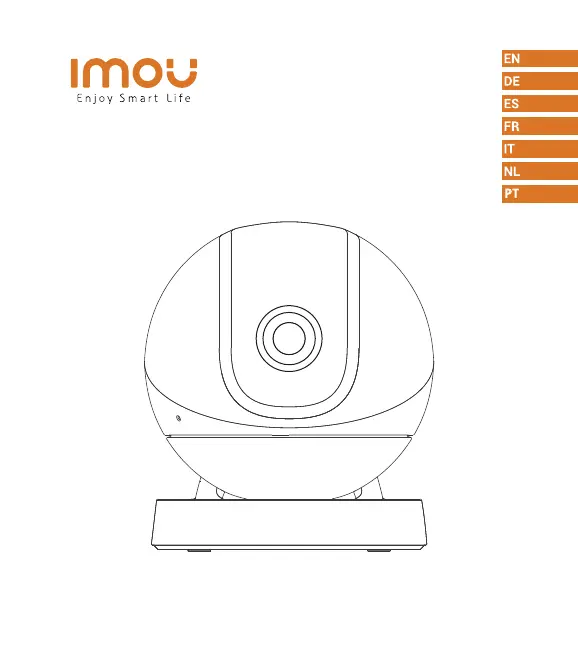
IMOU Ranger Pro - User Manual

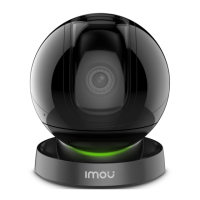
IMOU Ranger Pro
50 pages
Print Icon
To Next Page IconTo Next Page
Loading...
Ranger Pro
Quick Start Guide
www.imoulife.com

Questions and Answers

  • J
    Joyce ChavezAug 1, 2025
    How to fix IMOU Digital Camera if it cannot be set up?
    • T
      Tammy LynchAug 1, 2025
      If you're having trouble setting up your IMOU Digital Camera, make sure that your mobile device and the camera are close to your Wi-Fi router. Also, check that the LED indicator on the camera is flashing green before you start the setup process.
  • A
    Amber MurphyAug 5, 2025
    What to do if my IMOU Digital Camera app says 'Failed to configure device network'?
    • A
      amy29Aug 6, 2025
      If the IMOU Digital Camera app displays a 'Failed to configure device network' message, try resetting your camera and connecting it again. Also, be aware that some cameras support only 2.4GHz Wi-Fi. If your router has dual bands (2.4G/5G), ensure you're connecting to the 2.4GHz network.
  • G
    gloriaellisAug 9, 2025
    Why is there no picture/signal on my IMOU Digital Camera?
    • P
      Phyllis AllenAug 9, 2025
      If your IMOU Digital Camera shows no picture or signal, verify that the LED indicator is steadily flashing green. Also, ensure the camera is properly connected to power using the provided USB power adapter. You might also need to reposition the camera or router to boost the signal strength.
  • R
    Randy GonzalesAug 14, 2025
    Why is the picture on my IMOU Digital Camera not clear?
    • R
      Robert SantiagoAug 14, 2025
      If the picture from your IMOU Digital Camera is not clear, inspect the camera lens for any dirt, dust, or spider webs. Clean the lens gently with a soft, clean cloth. Also, make sure you've removed the vinyl cover from the camera lens.
  • P
    Patrick DunnAug 18, 2025
    How to fix no audio on IMOU Digital Camera?
    • J
      Jacqueline DavisAug 18, 2025
      If you're experiencing no audio with your IMOU Digital Camera, first ensure that the audio function is turned on in the camera settings. Also, check that the audio is turned up on the device you're using to view the camera feed.
  • R
    Robert BennettAug 23, 2025
    How to enable human detection on IMOU Digital Camera?
    • J
      Jane ReyesAug 23, 2025
      To enable human detection on your IMOU Digital Camera, make sure you have turned on the “Human Detection” feature in the Device Settings screen of the Imou Life App.
  • C
    Claudia ThomasAug 27, 2025
    How to fix IMOU Digital Camera stuck downwards?
    • K
      Kimberly WarnerAug 27, 2025
      If your IMOU Digital Camera is stuck pointing downwards, turn off Camera Shielding in the Device Settings on the Imou Life app.

Summary

Welcome

Package content

Camera introduction

Tips

Ceiling Mounting (Optional)

Troubleshooting

IMOU Ranger Pro Specifications

General IconGeneral
TypeIP security camera
Day/night modeYes
Placement supportedIndoor
Connectivity technologyWireless
Form factorTurret
Mounting typeDesk
Product colorBlack
Pan range0 - 355 °
Tilt angle range0 - 90 °
Minimum illumination- lx
Field of view (FOV) angle107 °
Sensor typeCMOS
Number of sensors1
Optical sensor size1/2.7 \
Effective sensor resolution- pixels
Digital zoom16 x
Night vision distance10 m
Total megapixels2 MP
Maximum resolution1920 x 1080 pixels
Ethernet LANNo
Wi-Fi standards802.11b, 802.11g, Wi-Fi 4 (802.11n)
DC output current2 A
DC output voltage5
Power source typeDC
Power consumption (typical)7.5 W
Operating temperature (T-T)-10 - 45 °C
Operating relative humidity (H-H)0 - 95 %
Weight and Dimensions IconWeight and Dimensions
Width90 mm
Height109 mm
Weight250 g

Related product manuals