EasyManua.ls Logo

IMOU Bullet 2 4MP - User Manual

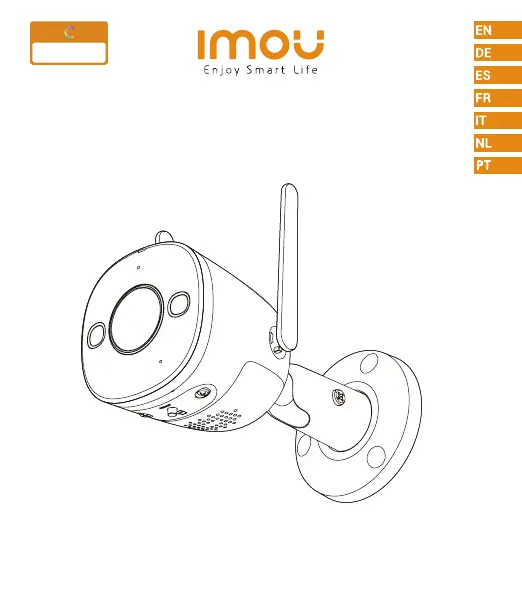
IMOU Bullet 2 4MP
50 pages
Print Icon
To Next Page IconTo Next Page
Loading...
Bullet 2 4MP
Quick Start Guide
www.imoulife.com
Full olor
Night Vision

Questions and Answers

Summary

Welcome

Package Contents

Camera Unit

The main surveillance device.

Positioning Map

A template for mounting the camera.

Waterproof Connector

Ensures secure and weatherproof cable connection.

Screw Package

Includes necessary fasteners for installation.

Quick Start Guide

Provides initial setup instructions.

Power Adapter

Supplies electrical power to the camera.

Camera Components

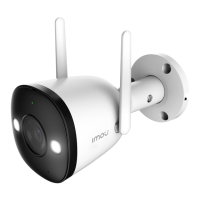
LED Indicator

Visual indicator for camera status.

Lens

The optical component for image capture.

Built-in Microphone

Captures audio from the environment.

Reset Button

Used to restore the camera to factory settings.

Spotlight

Integrated light for enhanced night visibility.

Wi-Fi Antenna

Facilitates wireless network connectivity.

Additional Camera Features

Micro SD Card Slot

For local storage of video recordings.

Built-in Speaker

Outputs audio alerts or communication.

LED Indicator Status

Off

Powered off or LED turned off.

Red Light On

Camera is rebooting after a reset.

Green Light Flashing

Camera is booting.

Green Light On

Device malfunction or waiting for network.

Red Light Flashing

Camera is operating properly.

Green and Red Light Flashing Alternately

Network connection failed or firmware updating.

Setup Process

Download App

Scan QR code to download the Imou Life app.

Wireless Setup Tips

Ensure clear wireless path between camera and router.

Installation Steps

Device Pairing

Connect camera to the Imou Life app via QR code.

Mounting the Camera

Secure the camera to a mounting surface using provided hardware.

Power Connection

Connect the camera to a DC 12V1A power source.

Troubleshooting Guide

Cannot Set Up Camera

Check Wi-Fi range and LED status before setup.

Network Configuration Errors

Solutions for 'Failed to configure device network' or 'Failed to bind'.

No Picture or Signal Issues

Verify LED status, power connection, and signal strength.

Picture Clarity Problems

Clean the lens and remove protective covers.

Audio Issues

Ensure audio is enabled and volume is adequate.

Human Detection Not Working

Confirm 'Human Detection' is enabled in app settings.

QR Code Reading Failure

Ensure smartphone lens is clean and lighting is adequate.

IMOU Bullet 2 4MP Specifications

General IconGeneral
TypeIP security camera
Antenna typeExternal
Built-in lightYes
Antennas quantity2
Placement supportedOutdoor
Connectivity technologyWired & Wireless
Built-in HDDNo
Compatible memory cardsMicroSD (TransFlash)
Maximum memory card size256 GB
Total megapixels4 MP
Maximum resolution2560 x 1440 pixels
Video compression formatsH.264, H.265
Form factorBullet
Mounting typeCeiling/wall
Product colorWhite
Housing materialMetal, Plastic
Protection featuresDust resistant, Waterproof
International Protection (IP) codeIP67
Siren noise level110 dB
Alert notification typeText alert message
Night vision distance30 m
Audio system2-way
Frequency band2.4 GHz
Wi-Fi standards802.11b, 802.11g, Wi-Fi 4 (802.11n)
Supported network protocolsONVIF
Sensor typeCMOS
Optical sensor size1/2.7 \
Digital zoom16 x
Number of lenses-
Fixed focal length2.8 mm
Ethernet LAN (RJ-45) ports1
Mobile operating systems supportedAndroid, iOS
DC output current1 A
DC output voltage12
Power source typeDC
Power consumption (typical)7 W
Operating temperature (T-T)-30 - 60 °C
Operating relative humidity (H-H)0 - 95 %
Sustainability certificatesCE
Harmonized System (HS) code85258900
Weight and Dimensions IconWeight and Dimensions
Depth147.7 mm
Width74.2 mm
Weight357 g

Related product manuals