EasyManua.ls Logo

IMOU Ranger Pro Z - User Manual

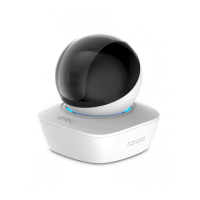
IMOU Ranger Pro Z
50 pages
Print Icon
To Next Page IconTo Next Page
Loading...
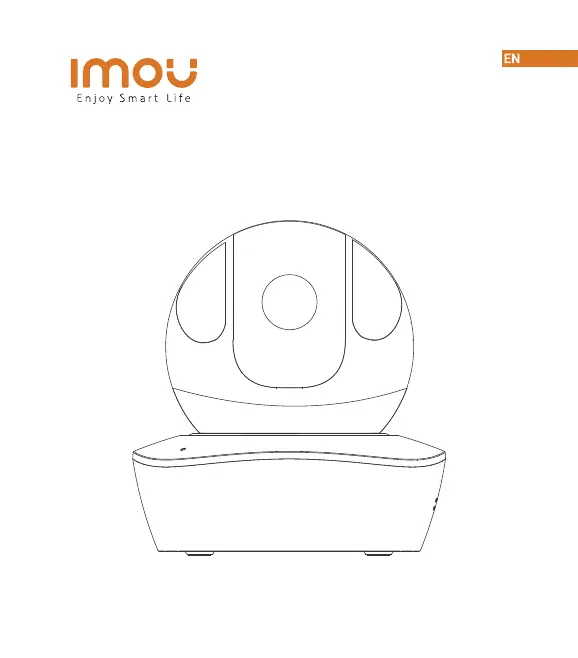
Ranger Pro Z
Quick Start Guide
www.imoulife.com

Questions and Answers

  • J
    Jacqueline GarnerAug 8, 2025
    What to do if IMOU Digital Camera app says “Failed to bind”?
    • M
      Mary RamirezAug 9, 2025
      If the app displays “Failed to bind”, it might be due to several network-related issues. First, check your router's internet connection. If the internet connection is working, the problem might be a poor network status, so try to improve the network status. Also, make sure that the Wi-Fi signal is stable, without obstacles or electronic interference.
  • C
    Cindy FigueroaAug 13, 2025
    Why is there no picture / signal on my IMOU Digital Camera?
    • A
      Anthony WarrenAug 13, 2025
      If your IMOU Digital Camera shows no picture or signal, first ensure the LED indicator on the camera is flashing steady green. Also, make sure the camera is properly connected to power using the included USB power adapter. If the issue persists, try repositioning the camera, router, or both to improve signal strength.
  • J
    John SimpsonAug 18, 2025
    Why is the picture not clear on my IMOU Digital Camera?
    • R
      Robert RamseyAug 19, 2025
      If the picture on your IMOU Digital Camera is not clear, start by checking the camera lens for dirt, dust, or spider webs. If you find any, clean the lens with a soft, clean cloth. Also, ensure that you have removed the vinyl cover on the camera lens.
  • M
    Mark DavisAug 25, 2025
    Why is there no audio on my IMOU Digital Camera?
    • E
      Eric FordAug 25, 2025
      If you're not getting any audio from your IMOU Digital Camera, first ensure the audio function on the camera is turned on. Then, check that the audio is turned up on your viewing device.
  • A
    amilesAug 28, 2025
    What to do if my phone is not reading the QR code for IMOU Digital Camera?
    • J
      James ParrishAug 28, 2025
      If your phone is not reading the QR code for your IMOU Digital Camera, start by cleaning the camera lens of your smartphone. Also, ensure that there is enough light on the QR code and avoid holding the QR code too close to the camera.
  • F
    fernandezerinSep 2, 2025
    How to fix IMOU Digital Camera stuck downwards?
    • J
      jonesmeganSep 2, 2025
      If your IMOU Digital Camera is stuck downwards, turn off Camera Shielding in Device Settings on the Imou Life app.

IMOU Ranger Pro Z Specifications

General IconGeneral
Digital Zoom16x
Video CompressionH.265/H.264
AudioTwo-way Audio
Built-in Mic & SpeakerYes
Motion DetectionYes
Lens3.6mm
Pan & TiltPan: 355°, Tilt: 90°
Night Vision30m (98ft) Distance
WirelessWi-Fi 802.11b/g/n
Frequency2.4GHz
Ethernet10/100Mbps
StorageMicroSD card (up to 256GB)
Working Environment-10°C to 45°C (14°F to 113°F)

Related product manuals