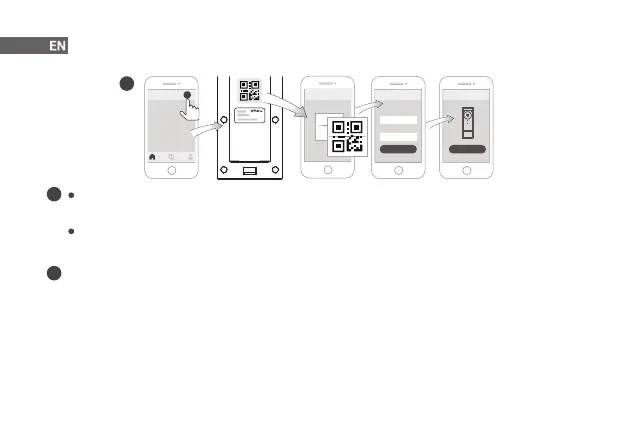
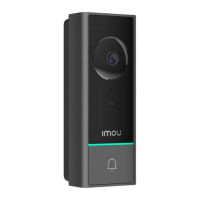
The app will guide you through the setup process.
4
i
Reset the device: Press and hold the reset button located on the back of the device for 5 s until the LED
turns red.
Where is the device QR code: On label that was attached to the box or on the back of the device.
2
Rear Side
SSID
XXXXXX
Password
Next
Setup
Add Device
+
Done
Setup
Power the Doorbell
Ensure that the battery power is enough to turn the doorbell on, otherwise recharge the battery through the
USB port.
Option 1 Battery Powered
The doorbell can run on its own rechargeable battery power. See from page 5 for installation without wiring.
Option 2 Wire Powered
If you have existing doorbell wiring, your doorbell can get continuous power. Supply the doorbell with 12 V-24 V,
AC/DC power. See from page 8 for installation with existing wiring.
i


 To Next Page