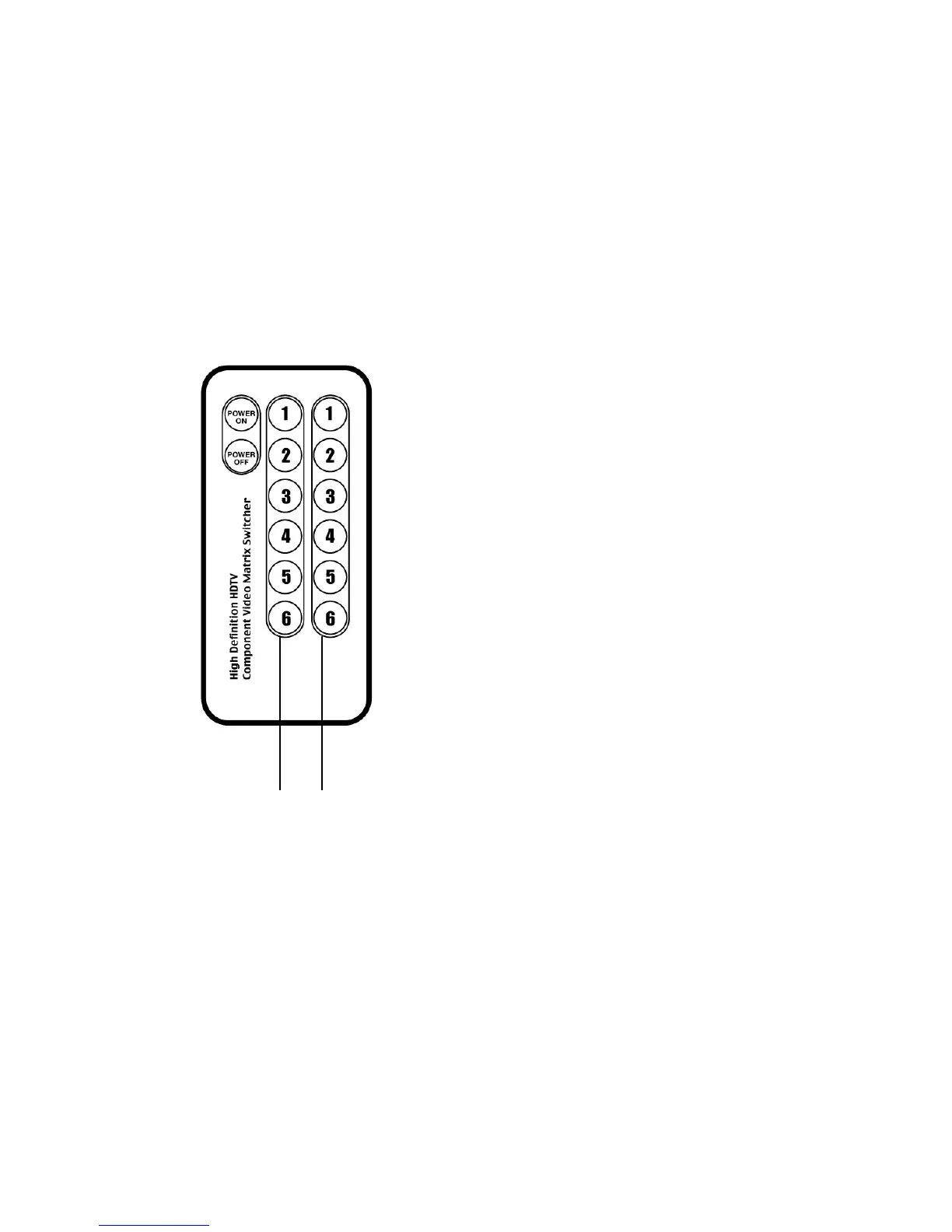
Operating the Switch:
Controlling the switch from the IR remote control
1. Press POWER ON to turn on the matrix switch.
2. Press 1 – 6 on either the green or red panels to route your preferred playback device to
output 1 or output 2. Green panel represents output 1. Red panel represents output 2.
Example 1 – You would like to route your DVD player on
Input 3 to output 1. Press 3 on the green panel. The LED
of Input 3 on the front panel will be illuminated green.
Example 2 – You would like to route materials from your
game console on input 6 to output 2, but continue watching
the DVD movie from example 1. Press 6 on the red panel.
The LED of Input 6 on the front panel will be illuminated
red.
Example 3 – You wish to now route your cable box
connected to Input 1 to displays on both output 1 and
output 2 at the same time. Press 1 on the green panel,
and then press 1 on the red panel. The LED of Input 6 on
the front panel will be illuminated orange.
Green
Panel
Red
Panel
4



 To Next Page