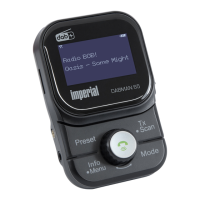
41 IMPERIAL DABMAN 65
E
2.9. Cleaning the device
Before cleaning, unplug the device from the wall socket.
Use a dry, soft cloth to clean the device. Please do not use liquids to clean the device.
Do not use solvents and cleaning agents as they may damage the surface and/or inscriptions of
the device.
2.10. Actions in case of malfunction
If the device malfunctions, disconnect it from the power supply and wait for a few seconds.
Reconnect the device to the power supply.
It may be necessary to reset to the factory settings.
If this does not work, please contact your dealer or contact TELESTAR Digital GmbH directly.
Further information can be found on page 6.
2. SAFETY INSTRUCTIONS
bda_DABMAN 65_plus_09_18.indd 41 28.09.18 17:16


 To Next Page