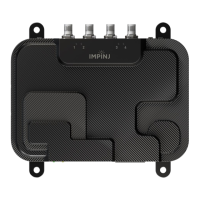
Impinj R705 Portal Gateway Reader Installation and Operations Guide
Version 0.1 8
for the LLRP connection. However, if the IPv6 address is not available when the gateway is booting, but
the IPv4 address is available, then Octane will choose an IPv4 address. You can confirm which IP address
the gateway is using for the LLRP connection via either the Web UI or the RShell console (using the
“show network summary” command).
Details about how to complete each connection option are described below. Before proceeding, make
note of the gateway’s factory default network settings.
2.2.1 Default Network Settings
Settings Description
Hostname impinj-xx-xx-xx, where xx-xx-xx is the last three bytes of the gateway’s
MAC address (which is printed on the label attached to the gateway case).
DHCP Enabled. The gateway also reports its hostname to the DHCP server.
Note: When the gateway is plugged into a network that does not have a DHCP
server OR when the PC is connected directly to the gateway via Ethernet cable,
the gateway defaults to a fixed IP address (169.254.1.1). If this address is not
available, the gateway then randomly selects a fixed IP address in the
169.254.xxx.xxx link local address range.
2.2.2 To connect the gateway to the Ethernet network
• Using a standard Ethernet cable, connect the RJ-45 connector on the reader to a LAN drop
or network switch.
Note: If you need to connect a PC directly to the Ethernet port, you can use a standard Ethernet cable. A
crossover cable is not necessary.
2.3 Configure the Region Setting
The gateways require that the specific region of operation be set by a professional installer. Note: that
readers cannot be altered and only operate per the regulatory laws of the country of operation.



 To Next Page
 Loading...