ImpulseRadar PinPointR User Manual V1.5
Page 18 (36)
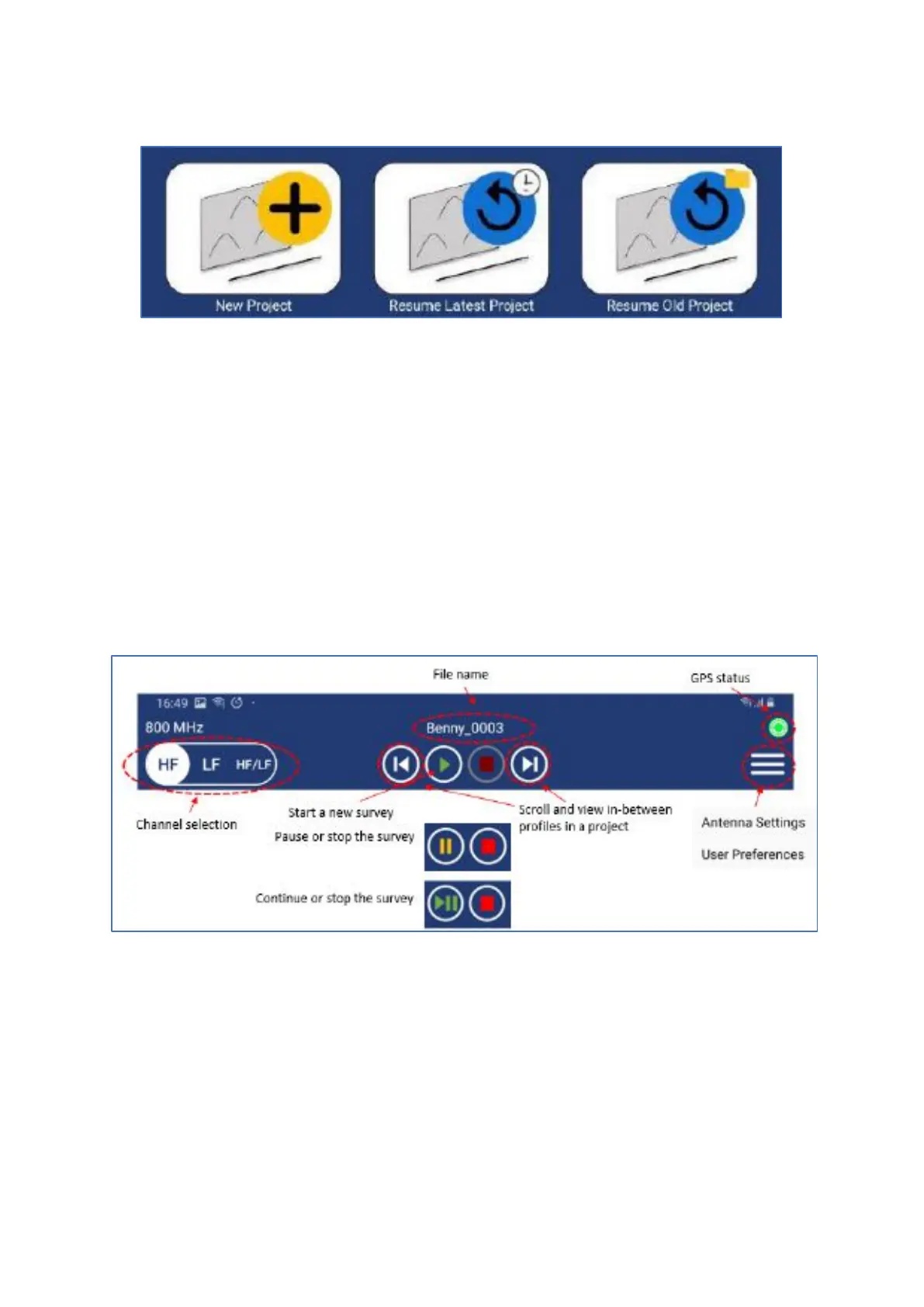
data will be saved. Figure 17 below shows the three options available.
Figure 17 Create new, resume latest or resume old projects
During the initial installation of ViewPoint on a Device, it creates a folder on the Device’s internal
storage called ‘XOver Data’, under which ViewPoint project folders and files are saved and organized.
After a survey, it is possible to zip a project directly ViewPoint’s file explorer, which offers a quick and
easy way to compress data for transfer. Navigate to the desired project folder then press and hold the
folder icon until the zip dialogue opens. Select ‘zip project’, and a confirmation window will open,
giving you the option to include a field summary report, and to generate a KMZ file. Select your
preference and confirm. The zip file will appear under the parent folder of the relevant data folder.
Running a single line project and associated functionality
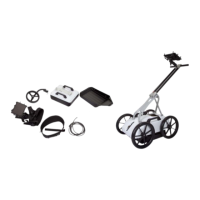
Figure 18 illustrates and describes the functions within the header toolbar for controlling data
acquisition.
Figure 18 Measurement toolbar controls
Figure 19 below describes additional functionality available during and after a survey, even if
ViewPoint is disconnected from the GPR unit. When ViewPoint is used in standalone, all functions
except the back-up cursor and crosshair lock are available.


 To Next Page