INSTALLATION
PRECAUTIONS
• Choose the mounting location carefully so that the unit will not interfere with the normal
driving functions of the driver.
• Avoid installing the unit where it would be subject to high temperatures, such as from direct
sunlight or hot air from the heater, or where it would be subject to dust, dirt or excessive
vibration.
• Use only the supplied mounting hardware for a safe and secure installation.
• Be sure to remove the front panel before installing the unit.
Mounting angle adjustment
Adjust the mounting angle to less than 20°.
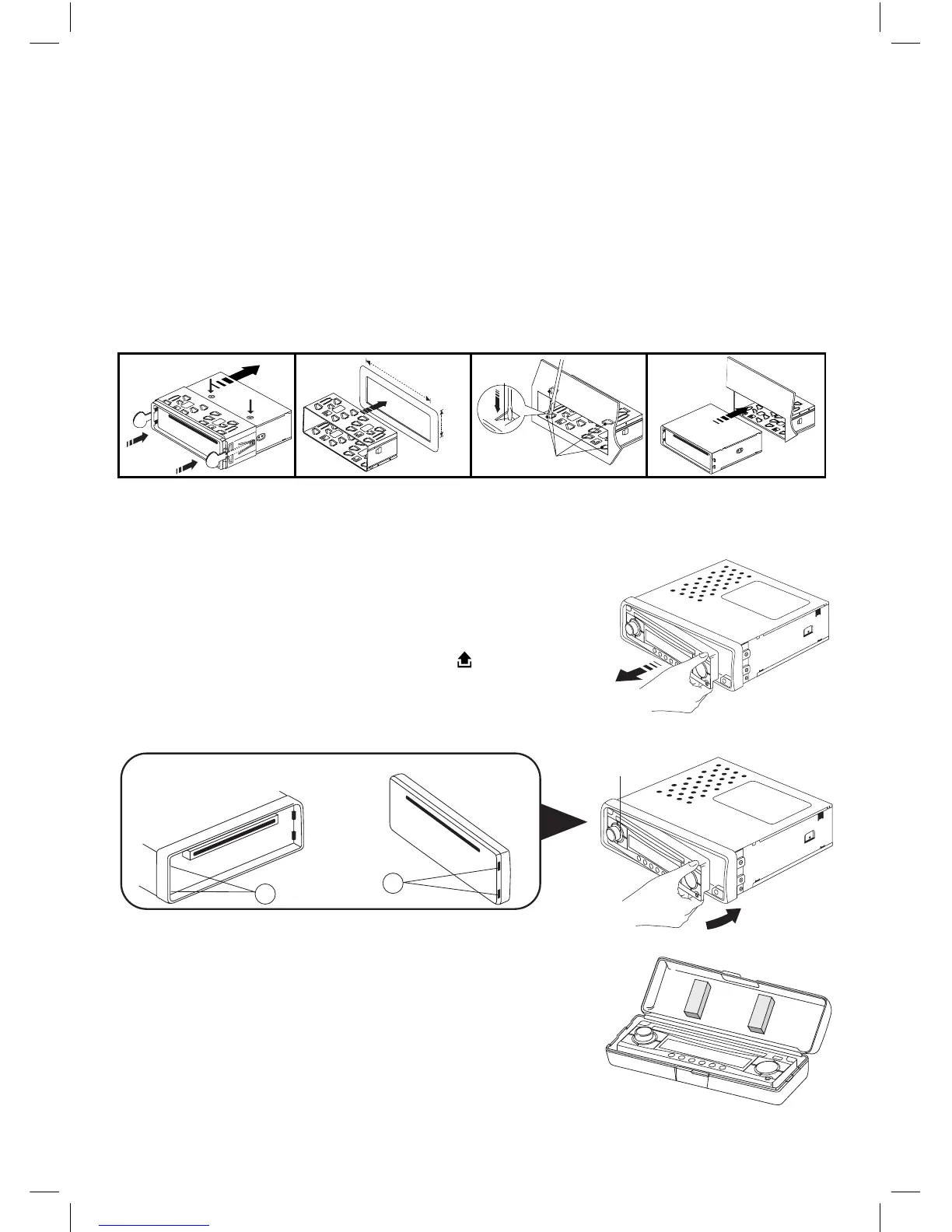
MOUNTING EXAMPLE
Installation in the dashboard
Note: Keep the release key in a safe place as you may need it in the future to remove the unit
from the car.
Detaching and attaching the front panel
The front panel of this unit can be detached in order to prevent
the unit from being stolen.
DETACHING THE FRONT PANEL
Before detaching the front panel, be sure to press the POWER
OFF button rst. Then press the button (16) and detach the
panel by pulling it towards you as illustrated.
Note:
Be sure not to drop the panel when detaching it from the unit.
Notes:
• Make sure that the front panel is in the right way up when
attaching it to the unit as it cannot be attached upside
down.
• Do not press the front panel hard against the unit when
attaching it. It can be easily attached by pressing it lightly
against the unit.
• When you carry the front panel with you, put it in the supplied
front panel case.
• Do not press hard or give excessive pressure to the display
window of the front panel when attaching it to the unit.


 To Next Page