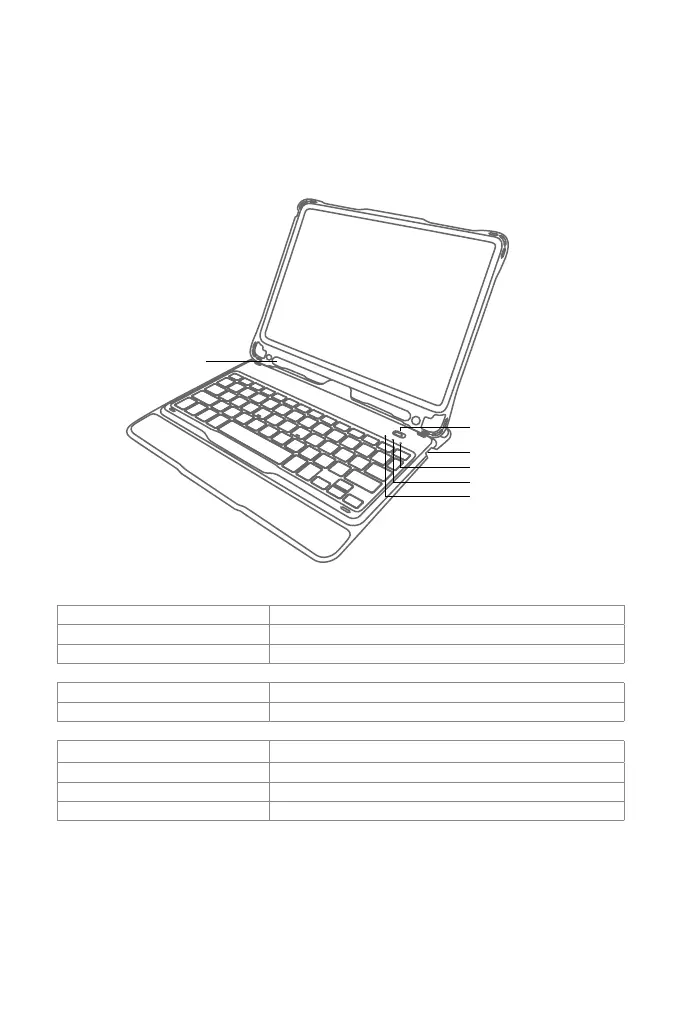
1. Product Overview
Pencil Slot
Power Switch
Indicator 3
Indicator 2
Indicator 1
English
Status of Indicator 1 Meaning
Keeps blue Caps Lock Enabled
O Caps Lock Disabled
Status of Indicator 2 Meaning
Blue light ashes Under Bluetooth pairing mode, waiting for pairing, light goes o when paired successfully
Status of Indicator 3 Meaning
Keeps red Charging, turns green when battery is full
Red light ashes Low battery, Recharge required(Remaining battery lower than 15%)
Keeps green Full battery



 To Next Page