8
Q: Why there is always a blank paper following a printed one?
A: If such situation occurs, please check whether the paper type is
correctly set. You can set it as “auto-match” or “continuous form paper”
under the settings “Printing Preferences” - “Paper/Quality” - “Paper
Source”.
9. Packing List
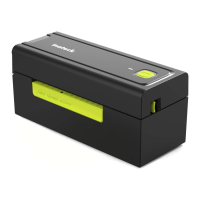
PR02001 * 1
Cleaning Pen * 1
Instruction Manual * 1
USB Flash Drive * 1
Paper Stand * 1
Thermal Label 4 x 6 inches * 1
Power Adapter * 1
USB Cable * 1
Instruction Manual of Direct Thermal Paper & Cleaning Pen & Stand * 1
10. Contact Us
Please feel free to email support@inateck.com if you have any query
regarding Inateck PR02001 . We will gladly assist you.
EN


 To Next Page