2
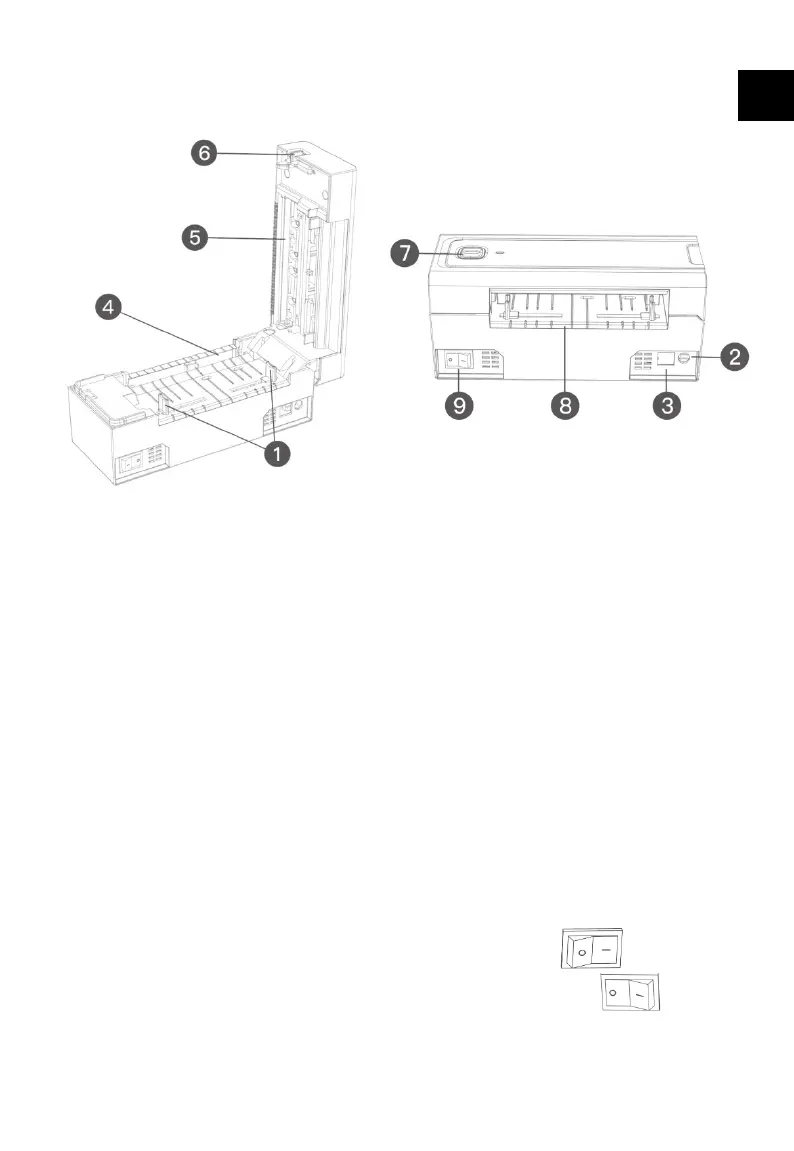
2. Illustration of the Main Parts
1. Movable paper conveyance device
2. Power interface
3. USB interface
4. Glue stick
5. Printhead
6. Opening button
7. Form feed button/Indicator
8. Paper inlet
9. Power switch
Note: Power Switch
Press down the power switch to “|” turn on the printer.
Press down the power switch to “O” to turn off the printer.
Please use the original power adapter that comes with the package to
avoid unsatisfactory printing result or damage to the printer.
EN


 To Next Page