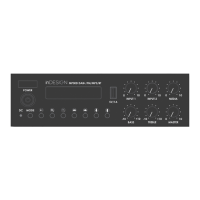
MP30D: INSTALLATION & OPERATION MANUAL
PAGE 8
DAB+
Use the ‘Mode’ button to select DAB+. Ensure the provided antenna is securely connected and uncoiled.
For rst time use, use the button to perform an initial scan.
Once the scan is nished, use the and buttons to scroll through the list of available stations.
Pressing the button will select the current station.
To open the DAB+ menu press the button.
The DAB+ menu provides access to the Station List, Full Scan and the MP30D Main Menu.
Use the button to select any of these options, or the button to return to the currently
playing station.
*Please note, the Main Menu can only be accessed while in DAB+ mode.
For ease of use, up to 10 stations can be stored as presets.
To store a station to a preset slot, rst select a station from the station list.
With the desired station playing, press and hold the button. When the ‘Preset Save’ prompt appears,
press the again to cycle through the 10 preset slots. The station will be automatically saved to the
shown preset slot 3 seconds after last button press.
To recall preset stations, press the button. With the ‘Preset’ prompt showing, pressing the button
will cycle through the 10 presets to recall. The selected station will be automatically recalled 3 seconds after
last button press.
FM RADIO
Use the ‘Mode’ button to select FM Radio. Ensure the provided antenna is securely connected
and uncoiled.
For rst time use, use the button to perform a quick scan. This will automatically store the rst
10 available stations.
Using the and buttons will scan to the previous or next available station respectively, or use
the and buttons to move down or up the available spectrum in 100kHz steps.
Preset stations can also be added or modied manually. To do so, rst move to the desired station, then
press and hold the button. When the ‘Preset Save’ prompt appears, press the again to cycle
through the 10 preset slots. The station will be automatically saved to the shown preset slot 3 seconds
after last button press.
To recall preset stations, press the button. With the ‘Preset’ prompt showing, pressing the button
will cycle through the 10 presets to recall. The selected station will be automatically recalled 3 seconds
after last button press.


 To Next Page
 Loading...