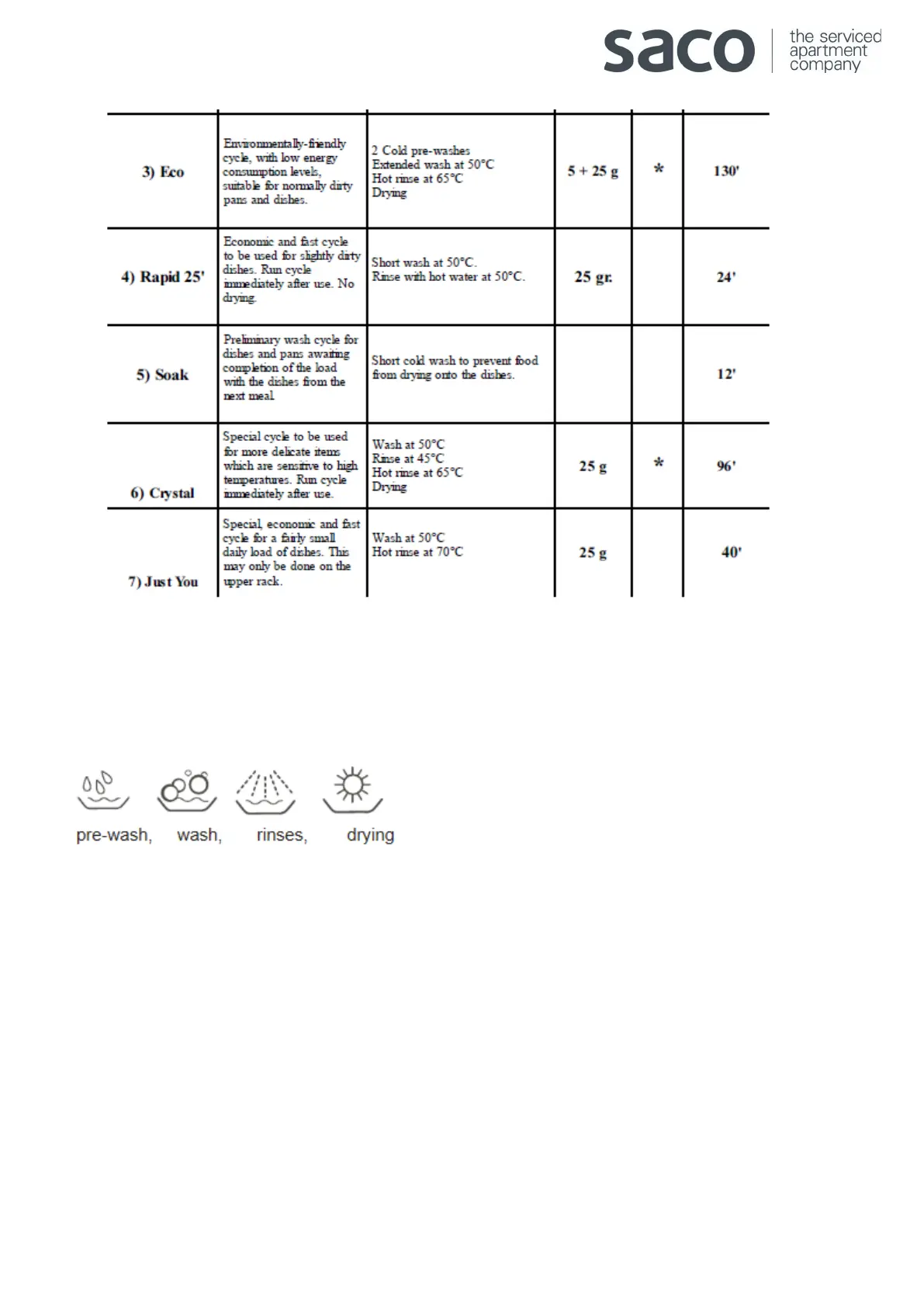
Cycle phase indicator lights
The dishwasher is provided with 4 indicator lights “G” which come on in sequence as the appliance is performing that
specific phase of the wash cycle. These phases are:
Operating the dishwasher
• Load the dishwasher
• Check that the upper and lower arms can rotate freely
• Add the detergent and close the door.
• Press the On/Off button “A”. You will hear a short beep and indicator light “B” lights up. At this point the
appliance is on and ready to be programmed.
• Turn the cycle selector dial “D” clockwise until the reference notch on the dial corresponds with the number or
symbol for the cycle you wish to set.
• If the appliance door is shut, press the Start button “R” and you will hear a beep, the cycle will start up within a
few seconds.



 To Next Page