EasyManua.ls Logo

Indesit IWDE126 - User Manual

Indesit IWDE126
6 pages
Print Icon
To Next Page IconTo Next Page
Loading...
www.sacoapartments.com
Operating Instructions – Washer Dryer Indesit IWDE126
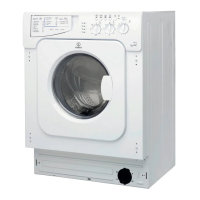
Control Panel
Detergent dispenser: To add detergent and
fabric softener.
LEDS: To find out which wash cycle phase is
under way.
If the Delay Timer function has been set
the time left until the programme starts
will be indicated.
Drying knob: To set the desired drying cycle.
Function buttons: To select the functions available. The button corresponding to the function selected
will remain on.
Temperature knob: To set the temperature or the cold wash cycle.
Start/Reset button: To start the programmes or cancel any incorrect settings.
On/Off Door Lock Led: To find out whether the Washerdryer is on and if the appliance door can be
opened.
On/Off button: To turn the Washerdryer on and off.
Programme knob: To select the wash programmes. The knob stays still during the cycle.
Standby mode
This washing machine in compliance with new energy saving regulations is fitted with an automatic standby
system which is enabled after about 30 minutes if no activity is detected. Press the ON/OFF button briefly and
wait for the machine to start up again.
LEDS
The LEDS provide important information:
Question and Answer IconNeed help?

Do you have a question about the Indesit IWDE126 and is the answer not in the manual?

Summary

Control Panel Overview

Key Components and Functionality

Explains the detergent dispenser, status LEDs, and the function of various operational knobs and buttons.

Standby Mode Operation

Delay Timer Functionality

Delay Timer LED Indicators

Details how LEDs indicate the set delay time and the remaining delay before the programme starts.

Cycle Phase LED Indicators

Describes how LEDs illuminate to show the current wash cycle phase.

Function Button Indicators

Explains that function buttons also act as indicators when a function is selected.

Programmes and Settings

Programme Table Overview

Details various wash programmes, including fabric type, temperature, cycle length, and description.

Starting and Managing Cycles

Starting a Programme

Step-by-step guide on how to turn on, load, and start a wash or dry cycle.

Setting Wash Temperature

Instructions on using the temperature knob to select wash temperature or cold wash.

Setting the Drying Cycle

Guidance on selecting drying type based on time or damp level of clothes.

Drying Load Recommendations

Drying Load Capacities

Provides a table with recommended drying load capacities for different fabric types and dryness levels.

Dry Only Operation

Instructions for performing a dry-only cycle using specific programme and drying knob settings.

Available Functions

Function Descriptions and Compatibility

Details functions like Delay Timer, Easy Iron, Extra Rinse, and Spin Speed reduction with their effects and compatibility.

Summary

Control Panel Overview

Key Components and Functionality

Explains the detergent dispenser, status LEDs, and the function of various operational knobs and buttons.

Standby Mode Operation

Delay Timer Functionality

Delay Timer LED Indicators

Details how LEDs indicate the set delay time and the remaining delay before the programme starts.

Cycle Phase LED Indicators

Describes how LEDs illuminate to show the current wash cycle phase.

Function Button Indicators

Explains that function buttons also act as indicators when a function is selected.

Programmes and Settings

Programme Table Overview

Details various wash programmes, including fabric type, temperature, cycle length, and description.

Starting and Managing Cycles

Starting a Programme

Step-by-step guide on how to turn on, load, and start a wash or dry cycle.

Setting Wash Temperature

Instructions on using the temperature knob to select wash temperature or cold wash.

Setting the Drying Cycle

Guidance on selecting drying type based on time or damp level of clothes.

Drying Load Recommendations

Drying Load Capacities

Provides a table with recommended drying load capacities for different fabric types and dryness levels.

Dry Only Operation

Instructions for performing a dry-only cycle using specific programme and drying knob settings.

Available Functions

Function Descriptions and Compatibility

Details functions like Delay Timer, Easy Iron, Extra Rinse, and Spin Speed reduction with their effects and compatibility.

Overview

This document provides operating instructions for the Indesit IWDE126 Washer Dryer, detailing its functions, usage features, and some maintenance aspects.

Function Description

The Indesit IWDE126 is a combined washer and dryer designed to handle various fabric types and soil levels. It offers a range of wash programs, temperature settings, and drying cycles, along with several function buttons to customize the wash process.

The control panel features several key components:

  • Detergent dispenser: Used for adding both detergent and fabric softener.
  • LEDS: These indicator lights provide important information about the current wash cycle phase. If the Delay Timer function is active, they will show the remaining time until the program starts.
  • Drying knob: Allows users to select the desired drying cycle.
  • Function buttons: These buttons enable various additional functions. When a function is selected, its corresponding button illuminates.
  • Temperature knob: Used to set the wash temperature, including the option for a cold wash.
  • Start/Reset button: Initiates programs or cancels incorrect settings.
  • On/Off Door Lock Led: Indicates whether the washer-dryer is on and if the appliance door can be opened.
  • On/Off button: Powers the washer-dryer on and off.
  • Programme knob: Used to select the desired wash program. This knob remains stationary during the cycle.

The device also features an automatic standby system, which activates after approximately 30 minutes of inactivity to comply with energy-saving regulations. Pressing the ON/OFF button briefly will restart the machine from standby.

Usage Features

Starting a Programme:

  1. Turn on the washer-dryer by pressing the ON/OFF button. The LEDs will light up briefly, and the ON/OFF DOOR LOCK Led will flash.
  2. Load laundry and close the door.
  3. Select the desired program using the PROGRAMME knob.
  4. Set the wash temperature with the TEMPERATURE knob.
  5. If needed, set the drying cycle using the DRYING knob.
  6. Add detergent and fabric softener.
  7. Press the START/RESET button to begin the program. To cancel, hold the START/RESET button for at least 2 seconds.
  8. Once the program is finished, the ON/OFF DOOR LOCK Led will flash, indicating the door can be opened. Remove laundry and leave the door ajar for thorough drying. Turn off the machine with the ON/OFF button.

Delay Set:

The Delay Timer function allows users to postpone the start of a program by 2, 4, 6, or 9 hours. When enabled, the LED corresponding to the set delay will flash. As time passes, the remaining delay will be displayed by the flashing LED. Once the delay is complete, the LED turns off, and the program starts. To modify the delay after pressing Start/Reset, it can only be decreased.

Cycle Phase Indication:

During a wash cycle, LEDs gradually illuminate to indicate the current phase: Prewash, Wash, Rinse, Spin cycle, and Drying. During draining, the Spin cycle LED will turn on. After a drying cycle, the Drying phase indicator light will flash, prompting the user to reset the DRYING knob to the '0' setting.

Function Buttons:

Function buttons also act as LEDs. When a function is selected, the corresponding button illuminates. If a selected function is incompatible with the current program, the button will flash, and the function will not be enabled. If multiple incompatible functions are selected, only the last one chosen will be enabled.

On-Off Door Lock LED:

This LED indicates when the appliance door is locked for safety. Users should wait for the LED to flash before attempting to open the door to prevent damage.

Programme Table (Examples):

The washer-dryer offers a comprehensive range of programs tailored for different fabrics and soil levels:

  • Standard Programs: Include options for white cotton (extremely soiled, heavily soiled, delicate colours), colour cotton, easy care (heavily soiled fast colours), wool, and silk. These programs vary in temperature (e.g., 90°C, 60°C, 40°C, 30°C) and cycle length (e.g., 155 minutes for white prewash, 50 minutes for wool).
  • Time 4 You Programs: Designed for specific needs, such as "Flesh Clean" (heavily soiled whites and fast colours, 60°C, 60 minutes), "Flesh Nylon" (delicate colours, 40°C, 40 minutes), and "Daily" (delicate colours, 30°C, 30 minutes).
  • Sport Programs: Include "Sports Shoes" (max 2 pairs, 30°C, 50 minutes) and "Special Sport" for sportswear (30°C, 60 minutes).
  • Partial Programmes: Offer standalone Rinse, Spin, and Drain cycles.

Special Programme - Daily (Programme 11 for Synthetics):

This program is ideal for lightly soiled garments, lasting only 30 minutes at 30°C, saving time and energy. It allows washing different fabrics together (excluding wool and silk) with a maximum load of 3 kg. Liquid detergent is recommended for this program.

Setting the Temperature:

The TEMPERATURE knob allows users to adjust the wash temperature or select a cold wash.

Setting the Drying Cycle:

The DRYING knob offers two main drying options:

  • A - Based on time: Ranging from 40 to 180 minutes.
  • B - Based on the damp level of dry clothes:
    • Iron: For slightly damp clothes that are easy to iron.
    • Hanger: For dry clothes ready to be put away.
    • Cupboard: For very dry clothes, recommended for towelling and bathrobes. A cooling stage is included at the end of the drying cycle.

Dry Only Function:

To perform a dry-only cycle, turn the PROGRAMME knob to one of the drying settings (7-8) based on fabric type, then select the desired drying type using the DRYING knob. A spin cycle is performed during drying if a cotton program and a dryness level have been set. For cotton loads under 1 kg, the delicate fabrics drying program should be used.

Functions (Examples):

  • Delay Timer: Delays the start of the wash by up to 9 hours. Enabled for all programs.
  • Easy Iron: Reduces creasing on fabrics, making them easier to iron. This function is available for programs 3, 4, 6, 9, 10, and Rinse cycle. When set, programs 4 and 6 will end with laundry left to soak (Anti-crease), and the Rinse cycle phase LED will flash. To conclude, press START/RESET. To run a draining cycle alone, set the knob to the drain symbol and press START/RESET. If combined with the "Iron" drying level, this button also enables the drying cycle.
  • Extra Rinse: Increases rinse efficiency, recommended for full loads or large detergent quantities. Available for programs 1, 2, 3, 4, 9, 10, 12, 13, and Rinse cycle.
  • 1220-600 (Spin Speed Reduction): Reduces the spin speed. Available for all programs except 6, 7, 8, and draining.

Maintenance Features

While the document doesn't explicitly detail maintenance procedures, it provides guidance on proper usage that contributes to the longevity and performance of the appliance:

  • Leaving the door ajar: After a program finishes, users are advised to leave the appliance door ajar to allow the drum to dry thoroughly. This helps prevent moisture buildup and potential odors.
  • Load recommendations: Specific load limits are provided for certain programs (e.g., 3.5 kg for program 9, 2 kg for program 13, 3 kg for program 11). Adhering to these limits helps ensure efficient washing and drying, and prevents overloading the machine.
  • Dividing large loads for drying: If a laundry load exceeds the maximum capacity for washing and drying, the user is instructed to perform the wash cycle, then divide the garments and dry them in batches using a "dry only" cycle. This prevents strain on the machine and ensures effective drying.
  • Detergent use: The document recommends liquid detergent for the "Daily" special program, suggesting that specific detergent types may be better suited for certain cycles.

Overall, the Indesit IWDE126 Washer Dryer is designed for user-friendly operation with a variety of customizable settings to meet diverse laundry needs, while also incorporating features that promote energy efficiency and proper care through informed usage.

Indesit IWDE126 Specifications

General IconGeneral
TypeWasher/Dryer
Load Capacity (Washing)6 kg
Load Capacity (Drying)4 kg
Spin Speed1200 rpm
Energy Efficiency ClassB
Loading TypeFront Loading
Energy Efficiency Class (Washing & Drying)B
Energy RatingB
Number of Programs16
Noise Level (Spinning)76 dB
ColorWhite
Dimensions (H x W x D)85 x 59.5 x 53.5 cm

Related product manuals