SCM1 test procedure
MODEL TEST PROCEDURE
ICON AND ASSOCIATED
DISPLAY
Icon
NOTES
Display Unit
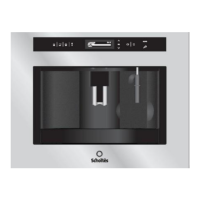
Scholtès Touch IFD
DISPLAY
TEST
MODE
With the machine on stand-
by (off but with the main
on/off switch set to I), open
the service door and press
and hold the 1 CUP,
STRENGTH and MENU keys
at the same time for at least
6 seconds, or until the
message “SELECT TEST”
appears on the display. After
this, shut the service door
and press the 1 CUP icon: all
digits will light up on the
display followed by the words
“DISPLAY TEST MODE”.
1 cup
2 cups
Cappuccino
Frothy
milk
Long/short
STRENGTH
Down Menu
Key Lock
MENU
UP menu
OK
Hot water
On/Stand by
BUTTON 1
BUTTON 2
BUTTON 3
BUTTON 4
BUTTON 9
BUTTON 10
BUTTON 8
BUTTON 12
BUTTON 11
BUTTON 6
BUTTON 7
BUTTON 5
BUTTON 0
When not used for
10 seconds, the
machine exits test
mode. The original
language is reset and
the first priming
enabled.


 To Next Page
 Loading...