EasyManua.ls Logo

Indesit SCM1 - User Manual

Indesit SCM1
52 pages
Print Icon
To Next Page IconTo Next Page
Loading...
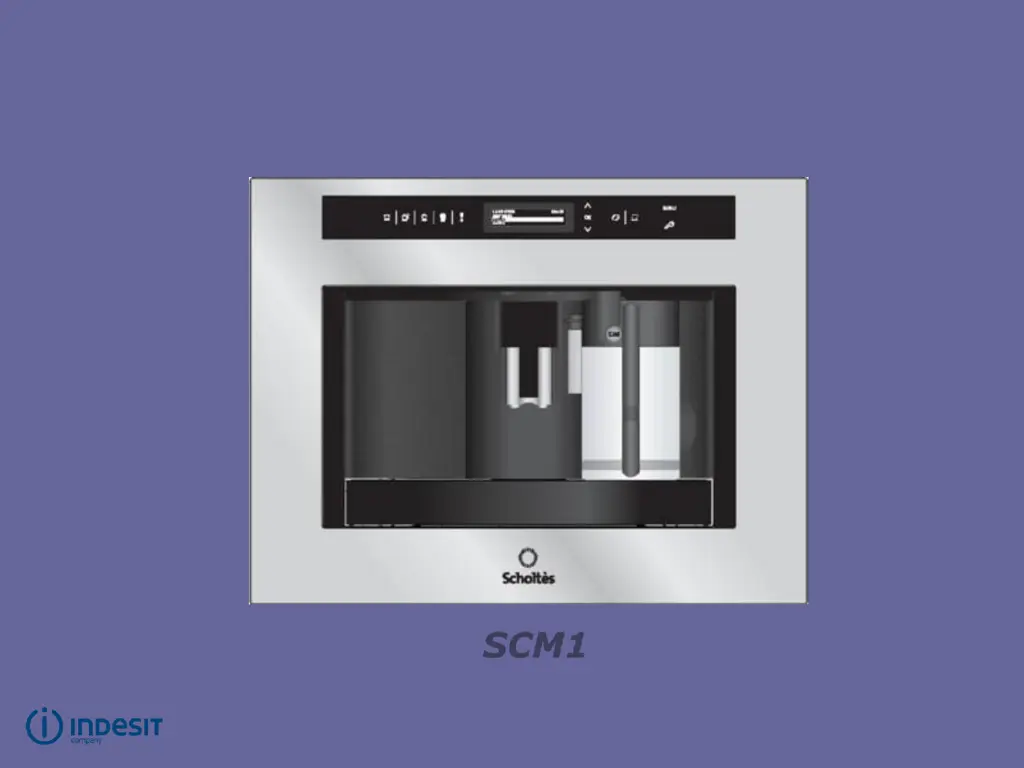
SCM1
Scholtès automatic,
built-in coffee machine

Questions and Answers

Summary

Technical Specifications

Accessibility

Removing the surround

Detailed steps for removing the machine's surround by unscrewing multiple screws.

Accessibility

Removing the rear panel

Procedure to detach the outer casing by unscrewing the rear panel screws.

Accessibility

Removing the casing

Instructions for removing the main casing by identifying and unscrewing specific screws.

Accessibility

Removing cover

Steps to remove the machine's cover by unscrewing the indicated screws.

Accessibility

Dismantling the coffee grinder

Procedure for dismantling the coffee grinder, including removing the finger guard and bean hopper.

Accessibility

Dismantling the flow meter

Guide to dismantling the flow meter, involving cap removal and connector detachment.

Accessibility

Dismantling the pump

Steps for dismantling the pump, including removing springs, tubes, and the valve assembly.

Accessibility

Removing the circuit board

Procedure for removing the main circuit board, detailing screw locations and caution.

Accessibility

Dismantling the steam unit

Instructions for dismantling the steam unit, including unscrewing screws and detaching tubes.

Accessibility

Dismantling generator + meccano valve

Guide to removing the generator and meccano valve, involving tube disconnection and screw removal.

Accessibility

Dismantling positioning assembly

Steps to dismantle the positioning assembly, including removing connectors and the brew group.

Wiring diagram

SCM2 water circuit diagram

SCM1 water circuit diagram

SCM1 Test Procedures

Load Test Mode

Procedure to activate and use the SCM1 Load Test Mode for diagnostics.

SCM1 Test Procedures

Display Test Mode

Procedure to activate and use the SCM1 Display Test Mode for visual checks.

SCM2 Test Procedures

Load Test Mode

Procedure to activate and use the SCM2 Load Test Mode for diagnostics.

SCM2 Test Procedures

Display Test Mode

Procedure to activate and use the SCM2 Display Test Mode for visual checks.

Troubleshooting

General Troubleshooting Information

General advice before troubleshooting, identifying problem causes and customer complaints.

Technical Information

Setting the grinder

Initial steps for setting the grinder, involving knob and safety guard removal.

Technical Information

Setting the grinder

Procedure to set the grinder by managing the elastic ring and retaining ring positions.

Technical Information

Setting the grinder

Steps for adjusting the grinder settings for finer or coarser grinding using the ring nut.

Technical Information

Setting the grinder

Instructions for inserting the grinder shaft and retaining ring correctly during setting.

Technical Information

Setting the grinder

Final adjustments for setting the grinder, including turning the ring shaft and inserting the grinder.

Summary

Technical Specifications

Accessibility

Removing the surround

Detailed steps for removing the machine's surround by unscrewing multiple screws.

Accessibility

Removing the rear panel

Procedure to detach the outer casing by unscrewing the rear panel screws.

Accessibility

Removing the casing

Instructions for removing the main casing by identifying and unscrewing specific screws.

Accessibility

Removing cover

Steps to remove the machine's cover by unscrewing the indicated screws.

Accessibility

Dismantling the coffee grinder

Procedure for dismantling the coffee grinder, including removing the finger guard and bean hopper.

Accessibility

Dismantling the flow meter

Guide to dismantling the flow meter, involving cap removal and connector detachment.

Accessibility

Dismantling the pump

Steps for dismantling the pump, including removing springs, tubes, and the valve assembly.

Accessibility

Removing the circuit board

Procedure for removing the main circuit board, detailing screw locations and caution.

Accessibility

Dismantling the steam unit

Instructions for dismantling the steam unit, including unscrewing screws and detaching tubes.

Accessibility

Dismantling generator + meccano valve

Guide to removing the generator and meccano valve, involving tube disconnection and screw removal.

Accessibility

Dismantling positioning assembly

Steps to dismantle the positioning assembly, including removing connectors and the brew group.

Wiring diagram

SCM2 water circuit diagram

SCM1 water circuit diagram

SCM1 Test Procedures

Load Test Mode

Procedure to activate and use the SCM1 Load Test Mode for diagnostics.

SCM1 Test Procedures

Display Test Mode

Procedure to activate and use the SCM1 Display Test Mode for visual checks.

SCM2 Test Procedures

Load Test Mode

Procedure to activate and use the SCM2 Load Test Mode for diagnostics.

SCM2 Test Procedures

Display Test Mode

Procedure to activate and use the SCM2 Display Test Mode for visual checks.

Troubleshooting

General Troubleshooting Information

General advice before troubleshooting, identifying problem causes and customer complaints.

Technical Information

Setting the grinder

Initial steps for setting the grinder, involving knob and safety guard removal.

Technical Information

Setting the grinder

Procedure to set the grinder by managing the elastic ring and retaining ring positions.

Technical Information

Setting the grinder

Steps for adjusting the grinder settings for finer or coarser grinding using the ring nut.

Technical Information

Setting the grinder

Instructions for inserting the grinder shaft and retaining ring correctly during setting.

Technical Information

Setting the grinder

Final adjustments for setting the grinder, including turning the ring shaft and inserting the grinder.

Indesit SCM1 Specifications

General IconGeneral
ModelSCM1
BrandIndesit
MaterialPlastic
Water Level IndicatorYes
TypeCoffee Maker
Product TypeCoffee Maker
Filter TypePermanent
Removable Partsfilter holder