OOPPEERRAATTIIOONN
SSEETTTTIINNGGSS
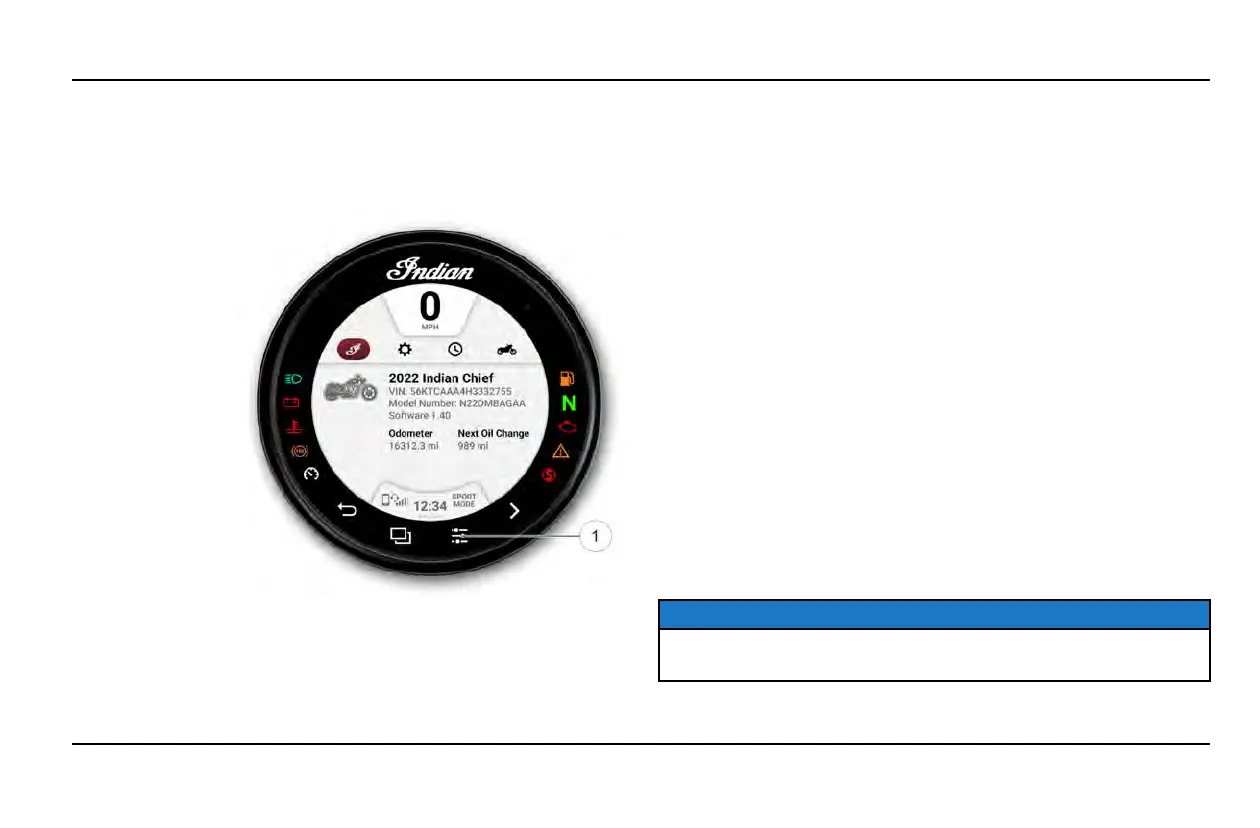
From the Settings Menu you can view important details about your
vehicle and personalize your touchscreen display.
The settings
menu is
comprised of
four categories:
Information,
General, Time,
and Vehicle.
IINNFFOORRMMAATTIIOONN
From the Information settings menu you can view the following:
• Vehicle Identification Number (VIN)
• Mileage
• Installed Software Version
• Oil Change Interval
GGEENNEERRAALL SSEETTTTIINNGGSS
From the General settings menu you can do the following:
• Themes (Day/Night/Auto)
• Manage Bluetooth® Devices
• Change the Language
• Set the Speed Units of Measure (MPH or KPH)
• Set the Temperature Units (F or C)
• Update Software
TTIIMMEE
From the Time Settings you can do the following:
• Set the Time Format (12 hour or 24 hour)
• Enable GPS Time (automatically sets the time to the time zone
you are currently in)
• Set Time (if GPS Time is not enabled)
NOTICE
The clock is sourced from the GPS chip and periodically requires
GPS lock to function correctly.
29
OPERATION



 To Next Page