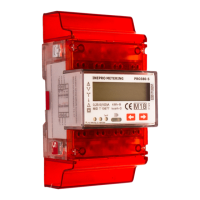
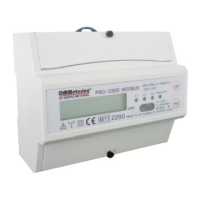
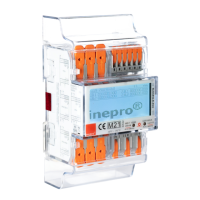
The Inepro PRO380 Series MID is a DIN rail-mounted energy meter designed for three-phase four-wire and three-phase three-wire energy measurement. This user manual provides comprehensive information for the safe and effective operation of the device, covering its functions, usage features, and maintenance aspects.
Function Description
The PRO380 Series MID meter is designed to accurately measure energy consumption in various electrical systems. It indicates power flow through a red LED on the front panel, with faster flashes signifying higher power flow. The meter measures both active and reactive energy, displaying "Kvarh" when measuring reactive energy. It supports a two-tariff function, allowing for different energy rates, indicated by T1 or T2 symbols on the LCD.
The meter is equipped with two red LEDs on the front panel to indicate active and reactive energy consumption, flashing 10,000 times per kWh. Its 8-digit LCD can display up to 999,999.99 kWh. The LCD is multifunctional, showing values on the top row and units, phase, or direction on the bottom. Upon power-up, the display shows the energy direction per phase (e.g., 1F 2F 3F, where 'F' indicates forward and 'R' indicates reverse).
The PRO380 Series MID also features two optically isolated pulse outputs (forward and reverse) for remote reading or accuracy testing. These pulse outputs are polarity-dependent, open-collector transistor outputs that require an external DC voltage source (5-27V DC, max 100mA). The meter can be configured to use various pulse output rates.
Communication capabilities include M-bus (for PRO380-Mb) and Modbus (for PRO380-Mod) outputs, allowing the meter to connect to a PC for data reading and configuration. An Infra-Red (IR) port is also available for reading out and configuring the meter using an IR converter and accompanying software.
Usage Features
The PRO380 Series MID offers several user-friendly features for monitoring and configuring energy measurement.
- Reading the Meter: The 8-digit LCD displays energy consumption up to 999,999.99 kWh. The red LEDs provide a visual indication of power flow and consumption.
- Scrolling Function: The meter supports both automatic and manual scrolling through various data pages. In automatic scrolling mode, the meter displays the next programmed data page every 10 seconds. The scrolling time can be adjusted from 1 to 30 seconds by pressing one of the buttons for 5 seconds during the display of page "rt 00" and then releasing it. Manual scrolling allows users to navigate through data pages one by one by pressing a button. Data table pages can be selected ON or OFF for automatic scrolling mode via the IR manual.
- CT-Ratio Configuration (CT versions only): For MID certified meters, the initial screen after powering up prompts the user to set the CT ratio. By default, the meter operates in a 5/5 configuration. Users can select the appropriate CT ratio from a predefined list using the right button. To permanently store the selected setting, the buttons must be held for 30 seconds.
- Backlight Control: The meter is equipped with a blue backlight. The backlight setting can be changed by pressing the right button for 5 seconds during the display of page "BL btn" and then releasing it. Options include "bl btn" (activate light by button), "bl off" (always off), and "bl on" (always on).
- Day Counter Reset: The meter includes a day counter for consumed energy, which can be reset to zero by the user. This is done by pressing the right button for 5 seconds during the display of page "kWh 0" and then releasing it.
- Energy Calculation Methods: The meter allows users to display total energy (usage) based on different calculation methods. These methods, such as "Forward only," "Reverse only," "Forward + Reverse," "Reverse - Forward," "Forward - Reverse," and "Forward - Reverse," can be configured using the infra-red eye and software.
- Two-Tariff Function: The PRO380 meter supports a two-tariff function (T1 and T2) which is activated by an external AC voltage connected to terminals 24/25.
Maintenance Features
Proper handling and maintenance are crucial for the perfect and reliable operation of the PRO380 Series MID meter.
- Qualified Personnel: Installation, operation, maintenance, and repair of the device should only be performed by qualified personnel who are authorized and knowledgeable about electrical equipment and safety regulations.
- Safety Precautions: Before working on the meter or connected equipment, all power sources must be turned off and, if possible, locked out. A properly rated voltage sensing device should be used to confirm that power is off. Insulated tools must be used during installation and maintenance.
- Physical Integrity: The meter should not be dropped or subjected to physical impact, as it contains high-precision components that can be damaged, affecting measurement accuracy. Seals on the meter should never be broken, as this can influence functionality, accuracy, and void the warranty.
- Wiring and Connections: All clamps should be properly tightened, and wires must fit securely in the connection clamps. Using wires that are too thin can cause bad contact, leading to sparks and potential damage. AC wires must be connected correctly before activating current/voltage. Protection covers should always be replaced after installation.
- Environmental Considerations: The meter should only be placed in a dry environment and not mounted in an explosive area or exposed to dust, mildew, or insects. It must be installed against a fire-resistant wall, in a well-ventilated and dry place. If exposed to dust or other contaminants, it should be installed in a protective box.
- Overcurrent Protection: An external switch or circuit-breaker must be installed on the supply wires to disconnect the meter and the energy-supplying device. This protection device should be placed near the meter for operator convenience and comply with building electrical design specifications and local regulations. Similarly, an external fuse or thermal cut-off for overcurrent protection should be installed on the supply side wires, also near the meter.
- Surge Protection: In areas with frequent surges (e.g., due to thunderstorms, welding machines, inverters), the meter requires protection with a Surge Protection Device.
- Tampering Prevention: The device should be sealed immediately after installation to prevent tampering. An enclosure with a lock or similar device can be used to further prevent tampering.
- Troubleshooting: The manual includes a troubleshooting section to address common issues such as the red consumption LED not flashing, the register not counting, no pulse output, or incorrect pulse output rate. It provides possible causes and solutions, including checking connections, load values, external voltage sources, and software settings. If issues persist, technical support should be contacted.
- Error/Diagnostics Display: The meter features an error and diagnostics display, showing a character 'S' followed by 2+3 digits. These digits indicate program status, EEPROM status, and phase statuses (A, B, C). A '0' in the first or second digit indicates a malfunction, requiring the meter to be returned. A '0' in the third, fourth, or fifth digit suggests checking wiring for power issues.

 Need help?
 General

 To Next Page