INETVU® MOBILE SYSTEM QUICK START – HUGHES KA
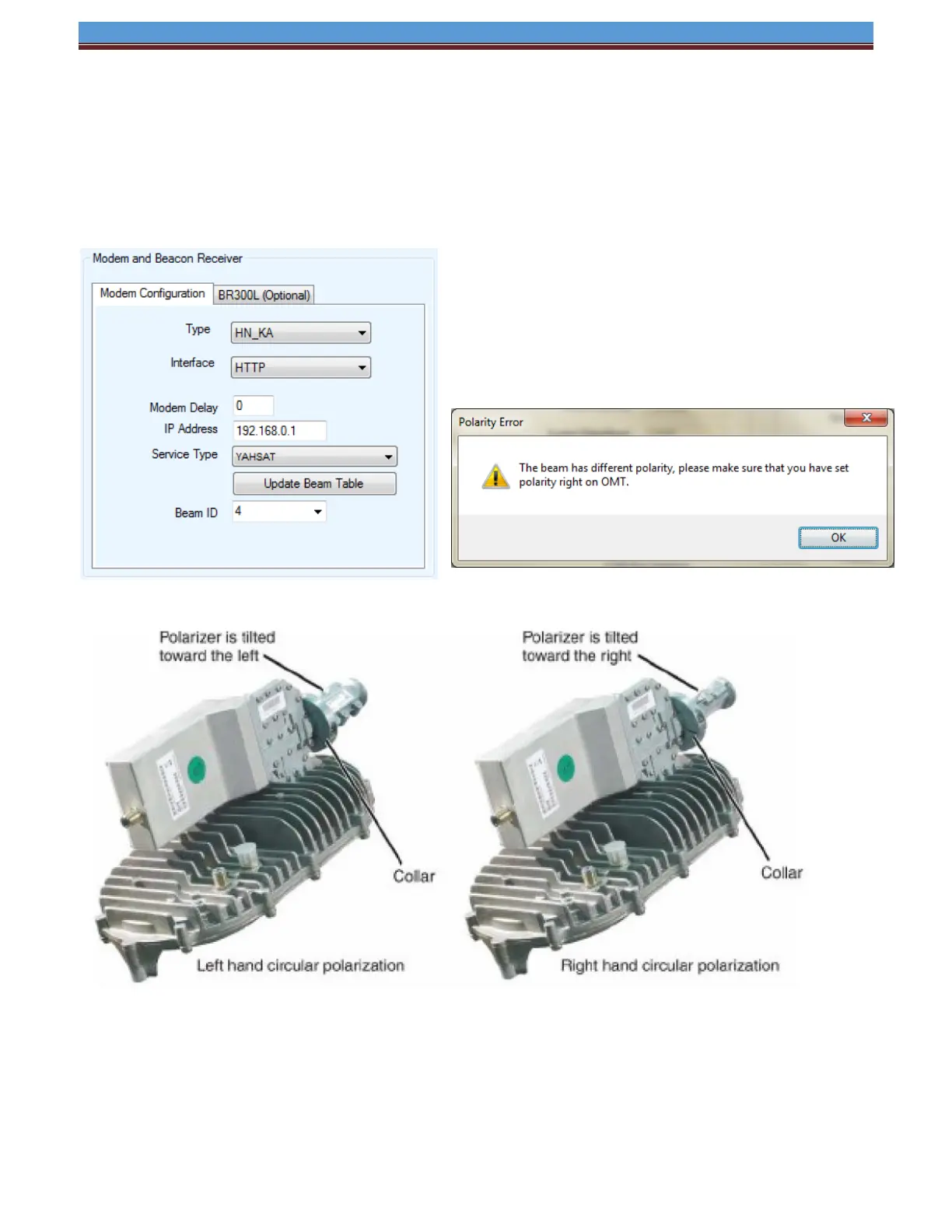
1.14 Polarity change and Hughes Ka
• When the BEAM ID is changed a popup message will appear informing the customer that there
is a difference in polarity between these BEAMS. The system is NOT able to auto adjust for this
new BEAM. This must be done by manually by the installer.
See New Gen Mobile Platform Installation Manual for more information.
*For more detailed information on the iNetVu
®
7000 Series Controller Software, refer to the iNetVu
®
7000 Series Controller Manual.


 To Previous Page
 Loading...