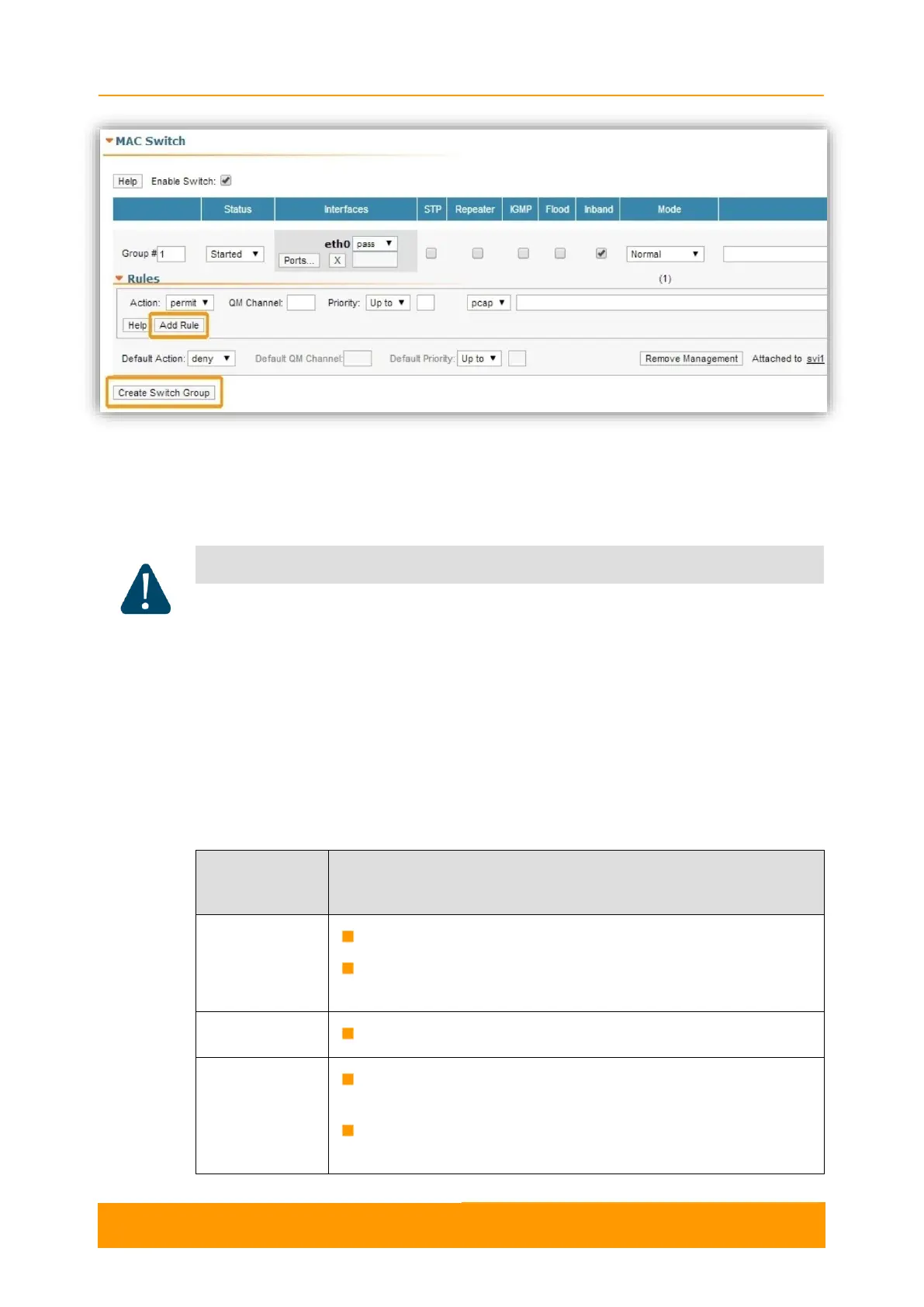
Figure 47 - MAC Switch default configuration
General options in this section:
- Enable Switch - this checkbox enables/disables global switch operation
Disabling the switch in the absence of routing settings can lead to termination of packet
transmitting through the device.
- «Remove Management» - by pressing this button you can delete the sviX
interface, which is available in the default configuration, for the unit
management
- «Create Management» - by pressing this button you can add a vlanX and an
sviX interface for the unit management via Web interface (please consult the
configuration examples presented in chapter 3)
Switch Group configuration section:
Displays the Switch Group number
Assign the switch group identifier (must be unique within
the MINT network segment)
Select the Switch Group status: started, stopped or discard
Add Ethernet or/and Radio as Switch Group interface(s)
via the «Ports» button
Select: pass (selected by default), strip or tag for VLAN tag
modification for each added interface


 To Next Page