EasyManua.ls Logo

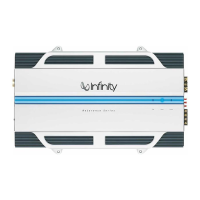
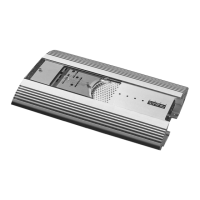
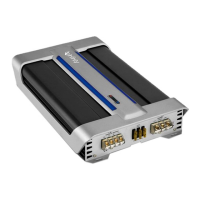
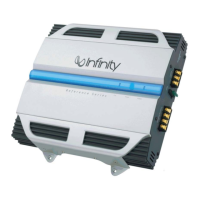
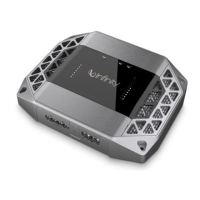
Infinity 1211a - User Manual

Infinity 1211a
8 pages
Print Icon
To Next Page IconTo Next Page
Loading...
Thank you
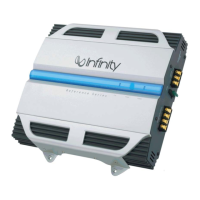
for purchasing a Reference Series amplifier.
In order that we may better serve you should you require warranty
service for your new amplifier, please retain your original purchase
receipt and read the enclosed warranty information card.
reference series
311a,611a,
1211a,7521a,
7541a,5761a
instructions

Other manuals for Infinity 1211a

Questions and Answers

  • T
    Tanya HernandezSep 9, 2025
    What to do if Infinity 1211a has distorted audio and PROTECT LED flashes?
    • J
      Jennifer PatelSep 9, 2025
      If your Infinity Amplifier is producing distorted audio and the PROTECT LED is flashing, it indicates a short circuit in the speaker or wire. To resolve this, remove the speaker leads one at a time to find the shorted speaker or wire, and then repair it.
  • C
    Christine ParkerSep 12, 2025
    What does it mean if PROTECT LED is on on my Infinity Amplifier?
    • J
      Jonathan DanielsSep 12, 2025
      If the PROTECT LED is illuminated on your Infinity Amplifier, it means the amplifier is overheated. Ensure that the amplifier's cooling is not blocked at its mounting location. Also, verify that the speaker-system impedance is within the specified limits.
  • C
    Courtney EdwardsSep 13, 2025
    What to do if my Infinity 1211a has no audio and PROTECT and POWER LEDs flash?
    • S
      Stephen ThomasSep 13, 2025
      If your Infinity Amplifier has no audio and both the PROTECT and POWER LEDs are flashing, the voltage on the BATT+ connection is less than 9V. Check the vehicle's charging system to resolve this issue.
  • C
    Christopher FloresSep 15, 2025
    What to do if my Infinity 1211a Amplifier has no audio and PROTECT LED is on?
    • W
      williamstoniSep 15, 2025
      If your Infinity Amplifier has no audio and the PROTECT LED is on, it indicates that the voltage on the BATT+ connection is greater than 16V or less than 8.5V. You should check the vehicle charging system.
  • L
    Leah AndradeSep 17, 2025
    What to do if my Infinity 1211a Amplifier has no audio and PROTECT LED flashes every 4 seconds?
    • C
      cheryl91Sep 18, 2025
      If your Infinity Amplifier has no audio and the PROTECT LED flashes every 4 seconds, it indicates DC voltage on the amplifier output. The amplifier may need service; see enclosed warranty card for service information.

Summary

Reference Series Instructions

Introduction

Installation Warnings and Tips

Essential safety precautions and tips for installing the amplifier.

Mounting and Connections

Location and Mounting

Guidance on choosing a suitable location and mounting the amplifier securely.

Electrical Connections Guide

Details on power, ground, remote, speaker, and high-level connections.

Applications - 311 a, 611 a and 1211 a

Woofer Configurations

Diagrams for connecting one or two subwoofers for these amplifier models.

Applications - 7521 a

Operation Modes

Setup diagrams for stereo and bridged-mono operation of the 7521a amplifier.

Applications - 7541 a

Configuration Options

Setup diagrams for 4-channel stereo, 3-channel, and bridged 2-channel modes.

Applications - 5761 a

Channel Configuration Modes

Diagrams for 6-channel, 5-channel, and 3-channel operation of the 5761a amplifier.

Installation and Setup

Crossover and Mode Settings

How to adjust crossover frequency, mode, and input sensitivity for optimal sound.

Control Features

Information on optional remote control, bass boost, and auxiliary outputs.

Installation and Setup (Cont.)

Dynamic Bass Optimizer and Status

Using DBO for bass enhancement and understanding amplifier status LEDs.

Troubleshooting

Audio Issues

Diagnosing and resolving common audio problems and LED indicators.

Sound Quality Issues

Addressing distorted audio and issues with music sounding weak or lacking impact.

Specifications

Model Specifications

Detailed technical specifications for all Reference Series amplifier models.

Infinity 1211a Specifications

General IconGeneral
Channels2
Signal to Noise Ratio>80dB
Input Voltage14.4V
Input Impedance10k Ohms
Frequency Response10Hz
Input Sensitivity200mV
Damping Factor>100

Related product manuals