POWER-SUPPLY CONNECTIONS
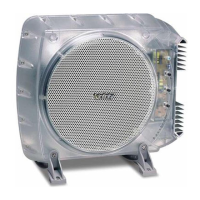
Figure 3. BassLink connections and terminals.
POWER-SUPPLY CONNECTIONS
B+: Connect a wire (at least #12AWG) between
the vehicle’s + (positive) battery terminal and
the “+BATT” terminal on BassLink. You must
install a fuse holder with a 25A fuse within 18"
of the battery. Route the power wire through a
grommet in the vehicle’s firewall. If there is no
factory grommet available, you must install one.
B–: Connect a wire (at least #12AWG) between
the “GND” terminal on BassLink and a bare metal
surface near the mounting location. You may need
to scrape away some paint from the metal surface
to insure a good connection. Use a screw and a
lock (star) washer.
INPUT CONNECTIONS
Note: BassLink is equipped with four line-level
(RCA) inputs and four speaker-level inputs. Any
combination of line-level and speaker-level inputs
may be used to provide nonfading bass when
connected to a head unit with four outputs.
CONNECTING BASSLINK TO:
Head units with dedicated subwoofer outputs
(line-level): Connect the subwoofer output from
the head unit to either the front or rear line-level
inputs.
Head units with four line-level (RCA) outputs:
Connect the four line-level outputs to the four
line-level inputs on BassLink.
Head units with two line-level outputs and two
(or four) speaker-level outputs: Connect the two
line-level outputs from the head unit to either
front or rear line-level inputs on BassLink.
Connect two speaker-level outputs from the
head unit to the Universal Interface inputs on
BassLink, which correspond to the unused line-
level inputs.
Head units with four speaker-level outputs:
Connect the four speaker-level outputs from the
head unit to the four Universal Interface inputs
on BassLink.
Head units with only two speaker-level outputs
or two line-level outputs: Connect the two
outputs to either front or rear inputs of
corresponding type.
Note: The Universal Interface input wiring
harness included with BassLink is color coded
to correspond with the speaker-level outputs of
many aftermarket head units and adapters sold
as accessories.
Universal Interface color code:
White: front left +
White/black: front left –
Gray: front right +
Gray/black: front right –
Green: rear left +
Green/black: rear left –
Violet: rear right +
Violet/black: rear right –
Remote: Connect a wire between the remote
terminal on BassLink and the remote output
wire on your head unit. This wire should provide
between +5VDC and +12VDC when the head unit
is on and no voltage when the unit is off.
Note: If your head unit provides preamp outputs
it will have a remote wire. If your radio provides
only speaker-level outputs, it may not have
a remote wire. If you will be using the speaker-
level outputs from your head unit, you do not
need to connect the remote output. The speaker-
level inputs will sense voltage on the speaker
wires and the BassLink will turn itself on. If you
are using only line-level (RCA) inputs, you must
connect the remote wire to the BassLink.


 To Next Page
 Loading...