6
Sign Up Display & Home Menu
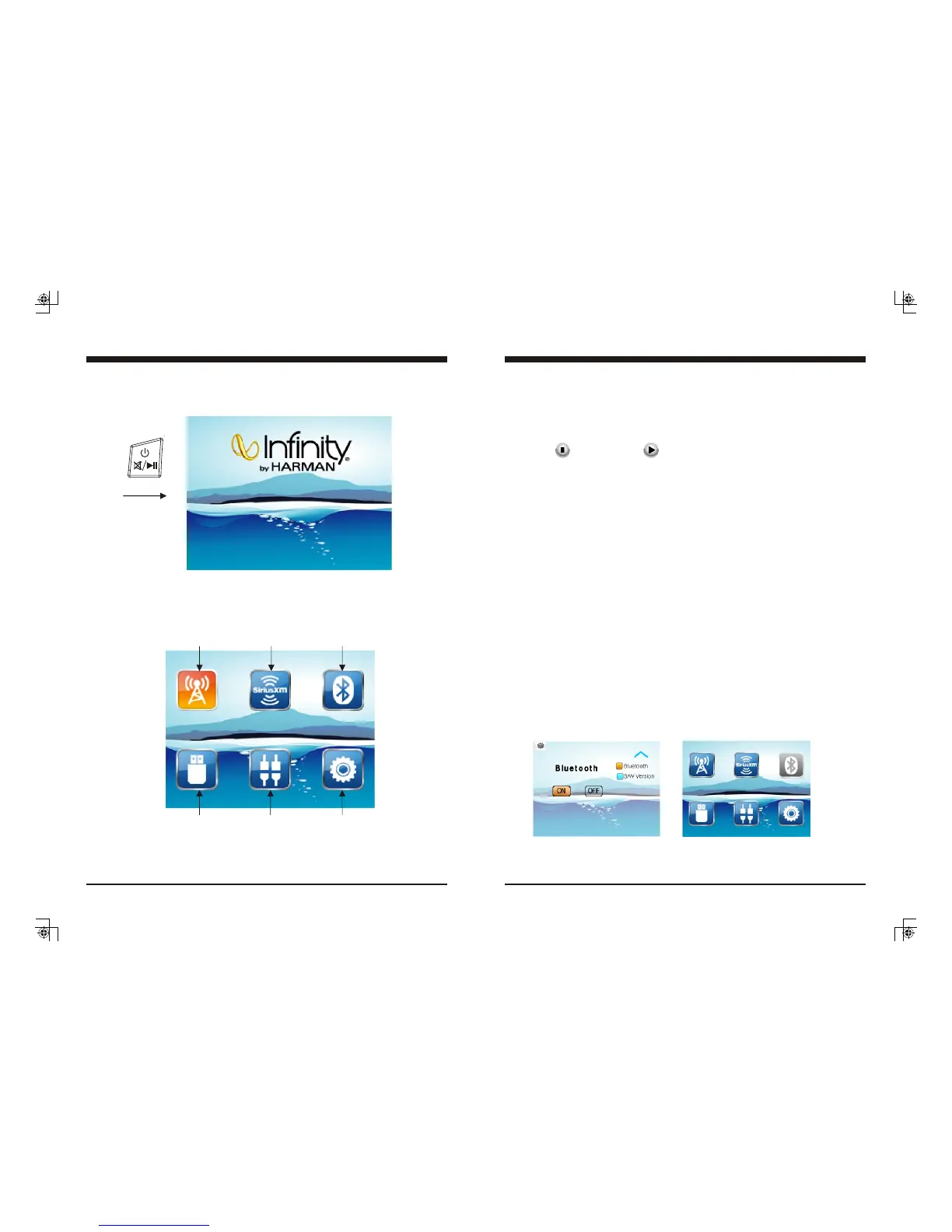
2. Home Menu (Source display)
At Home Menu, press the TUNE Up/Down button to move to desired source and press
ENTER button to confirm.
Radio
SiriusXM
BT Music
USB
AUX IN
Settings
1. Sign Up Display
Once the unit is powered on, the introductory screen will appear for 3 seconds and then
switches to radio source display.
Push
19
4. Play/Pause Play
Once the BT device successfully pairs, it will begin to play the music in the device.
Note: For some Bluetooth phones, you might activate play from your phone first.
It depends on the phone itself.
While BT Music is playing,
Note: With the Bluetooth connection disconnected, once you power on the unit next time,
it will establish the Bluetooth connection automatically.
8. Bluetooth On/Off Setting
There is a Bluetooth On/Off feature in Settings which allows the user to turn off the
Bluetooth feature. With Bluetooth off selected, the BT Icon on Home Screen would be in
Gray and could not be selected. (Note: It defaults at Bluetooth ON.)
press the PAUSE button to pause the playback, and press
it again to resume playback.
5. Track Up/Down
While BT Music playing, simply press TUNE Up or Down button to select the next or
previous track.
6. Disconnect
In BT Music playing mode, if you want to disconnect the BT device, press MENU button
to activate navigation, it will highlight at DISCONN, press ENTER button to disconnect
the BT connection.
Note: When your BT device battery is at low charge, the Bluetooth connection may
occasionally be lost. To maintain good connectivity ensure that your BT device battery is
adequately charged.
7. Connect
With BT device paired OK, but disconnected, if you want to establish the BT connection,
first press MENU button to activate navigation, it will highlight at CONNE, press ENTER
button to connect the BT device.
Note: refers to PLAY; refers to PAUSE.
Bluetooth Section Operation


 To Next Page