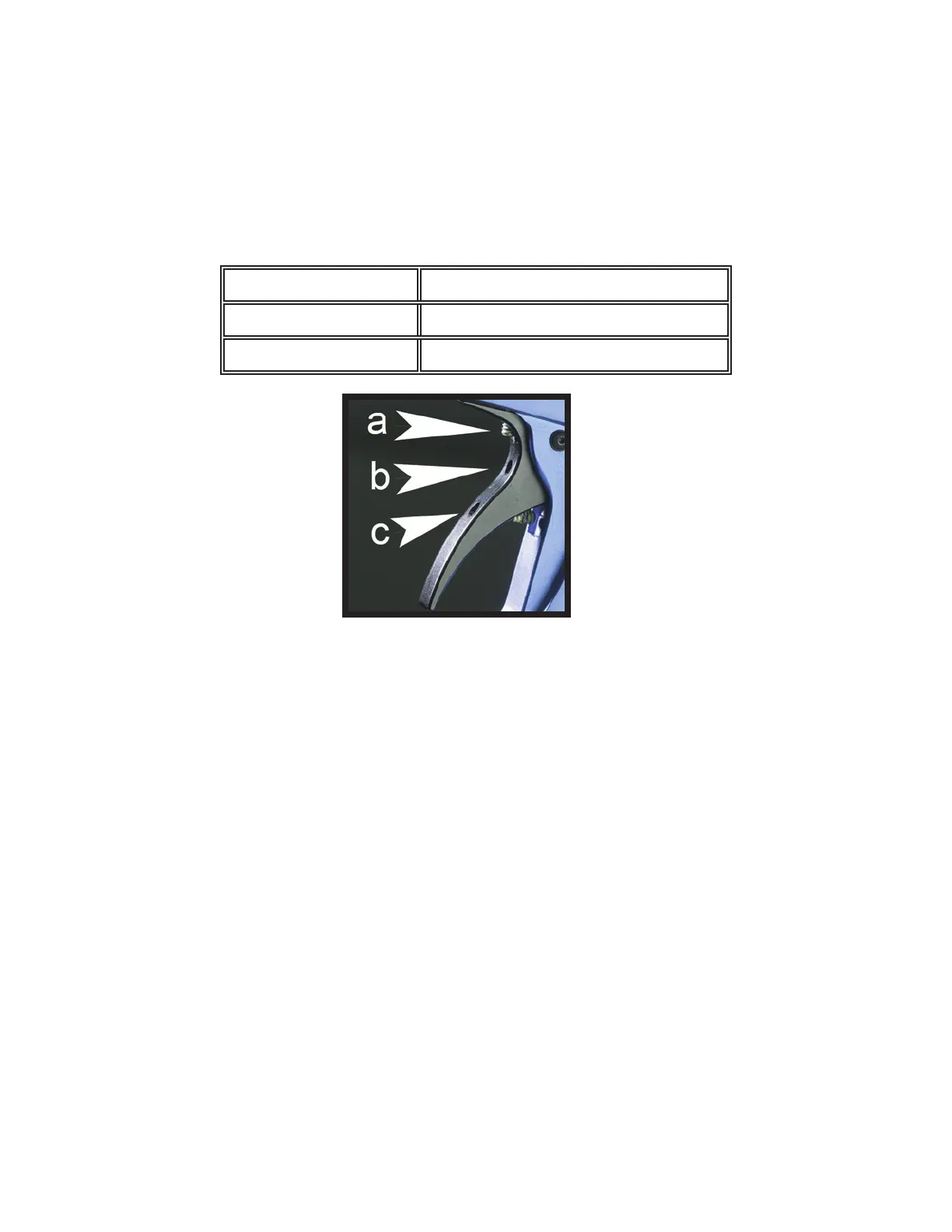
Trigger Adjustment
The trigger return stroke, over-travel and toe adjustments should be carried out in the order shown and will enable the
user to have total adjustment on the feel and trigger movement.
The trigger has three 6/32 set screws in it for total adjustment. The setscrew on the top of the trigger controls the force of
the magnet. Turn the magnet clockwise or in to increase the force of the magnet. The middle magnet controls where the
trigger contacts the micro switch during the stroke. The bottom magnet controls the rear (over-travel) travel, so that the
micro switch does not become damaged.
Top Setscrew (a) Return magnet adjustment
Middle Setscrew (b) Micro switch sensitivity adjustment
Bottom Setscrew (c) Trigger stop
Velocity Adjustment
The In-Line regulator, located vertically on the front of the marker, controls the Velocity.
To decrease the velocity, turn the setscrew on the side of the In-Line regulator clockwise or in.
To increase the velocity, turn the setscrew on the side of the In-Line regulator counter-clockwise or out. Note: The
pressure can be read from the left side of the marker by adding a pressure gauge.
The pressure should be regulated to between 180 – 280 psig, depending on the dwell setting. Low dwell equals high
pressure and high dwell equals low pressure. Recommended Dwell setting is “10”.
High Pressure vs. Low Pressure
The LEGEND was designed to shoot very brittle paint by using low pressure and higher dwell. You can also make the
LEGEND very air ef cient by raising the pressure and lowering the dwell. Each player should play with the settings to nd
the best setting for them.
Factory Recommended Settings is:
Inline Working pressure 220 P.S.I.
Dwell Setting “10”



 To Next Page