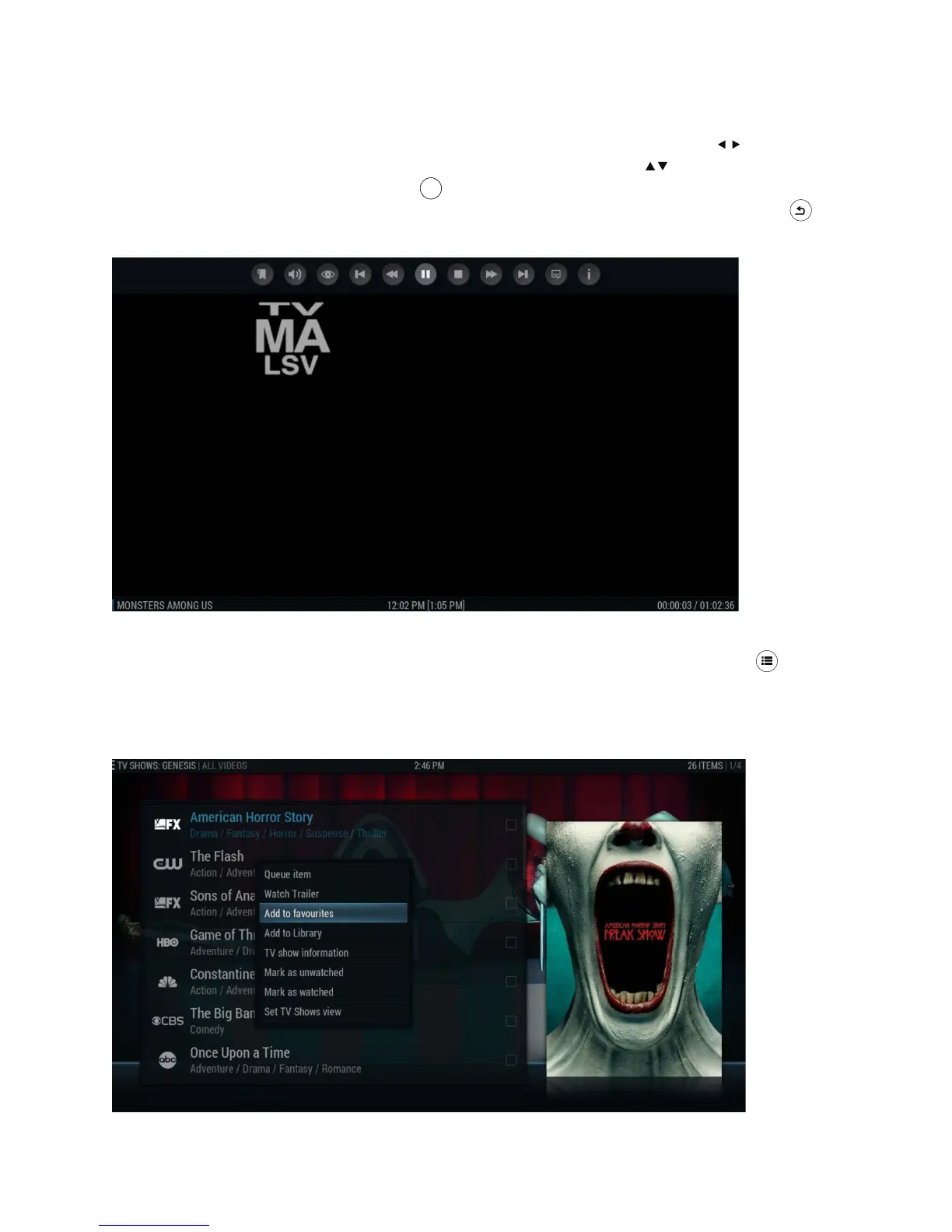
When in a stream (DOES NOT APPLY to Live TV, World News, or Sports), you can jump
ahead or back by 30 seconds using the “Forward” and “Back” remote arrows OR jump
ahead or back 10 minutes using the “Up” or “Down” remote arrows . You can also access
on screen navigation by pressing “OK” on the remote; this will allow you to pause, stop,
fast-forward, or rewind. To toggle off the navigation bar, just press the “Back” button
on the remote.
*
Is there a way to bookmark my favourite shows, movies or radio stations?
Absolutely! Accessing the pop-up menu is as simple as clicking the “Menu” button on
your Infinity TV Remote. Select Add to Favourites (see below) and you’re done! The next
time you enter (in this screenshot’s example, Genesis), go directly to My Genesis and
your choice will either be found under Favourite Movies or — in this example — Favourite
TV. (NOTE: each Portal offers the same “Add to Favourites” menu)



 To Next Page