Live TV
Live TV is exactly what it sounds like: feeds that are currently streaming and not cached in
their entirety. This is perfect for those times when you’re not really sure what you want to
watch and just feel like browsing what’s on. (NOTE: when you join a live feed, do NOT try
to rewind or fast-forward the feed. By attempting this, you will risk freezing the screen and
have to do a soft reset. This also applies to the World News and Sports section.)
Library
This section comes preloaded with tons of exceptional categorized content pulled from a
number of external websites for your viewing pleasure.
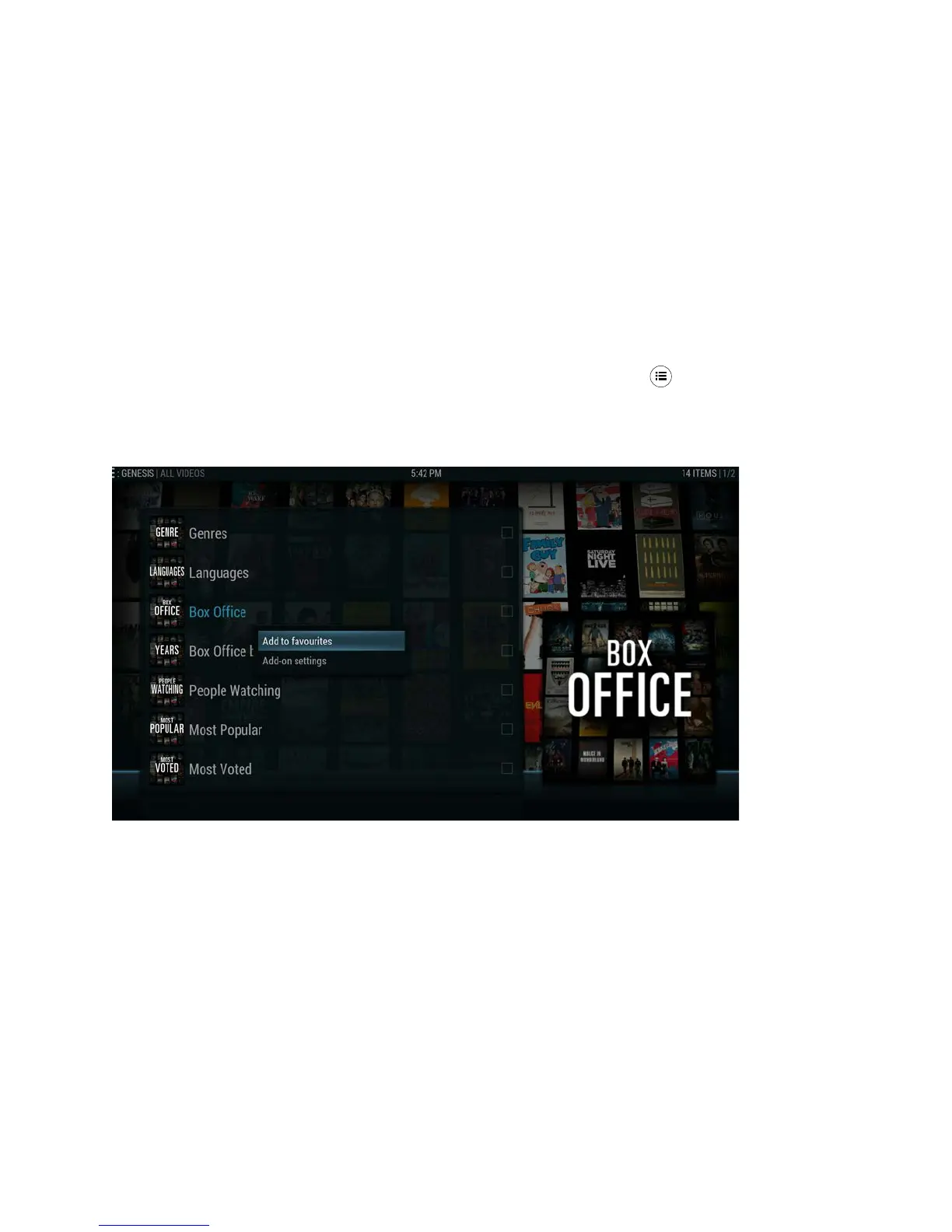
You can also add Add-Ons, Categories, Live Streams, and movies found in the
Cartoons+ to the Library section. Simply press the “Menu” button on your Infinity TV
Remote, and then select the Add to Favourites option as depicted below. (NOTE: this is
separate from the “Add to Favourites” option you use to add TV Series or Movies to your
“My Genesis” folder, for example)



 To Next Page