Need help?
Do you have a question about the Infinix SMART 7 and is the answer not in the manual?
Identification of phone components and steps for SIM/SD card installation.
Guidelines for safe operation, error handling, and maintenance of the device.
Information on proper disposal and recycling of the device and its components.
Compliance with harmful substance regulations and SAR guidelines for radio wave exposure.
Details on device conformity with health, safety, EMC, radio, and emergency service standards.
Lists accessories, software/hardware versions, and declaration issuance details.
 General
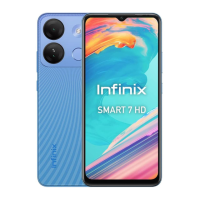
| Display Size | 6.6 inches |
|---|---|
| Resolution | 720 x 1612 pixels |
| RAM | 4 GB |
| Storage | 64 GB |
| Front Camera | 5 MP |
| Battery Capacity | 5000 mAh |
| Operating System | Android 12 (Go edition) |
| Chipset | Unisoc SC9863A |
| CPU | Octa-core (4x1.6 GHz Cortex-A55 & 4x1.2 GHz Cortex-A55) |
| GPU | IMG8322 |
| SIM | Dual SIM (Nano-SIM, dual stand-by) |
| Network | GSM / HSPA / LTE |
| Rear Camera | 13 MP |
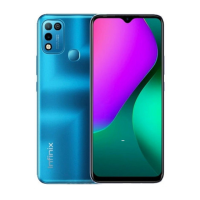
| Colors | Azure Blue |

 To Next Page