Need help?
Do you have a question about the Infinix X6810 and is the answer not in the manual?
Details on device compliance with FCC Rules, prohibiting harmful interference.
Guidance on modifications, FCC limits for Class B devices, and steps to correct radio interference.
Explains government requirements for mobile phone radio wave exposure and tested SAR values.
Details on maintaining safe separation distances for body-worn devices to comply with RF exposure rules.
This document serves as the user manual for the Infinix X6810, providing essential information on its features, installation, charging, and regulatory compliance. The manual is designed to guide users through the initial setup and safe operation of their mobile phone.
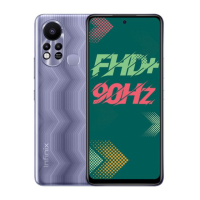
The Infinix X6810 is a mobile phone designed for communication and various smart device functionalities. Its primary function is to allow users to make calls, send messages, and access a range of applications and services typical of a smartphone. The device is equipped with a front camera, enabling users to capture photos and videos, and participate in video calls.
The phone's physical layout includes several key components that facilitate its use. On the side of the device, there are volume control keys: a "Volume +" key to increase audio levels and a "Volume -" key to decrease them. These keys are crucial for adjusting media playback, call volume, and notification sounds. Below the volume keys, there is a "Power key & side fingerprint sensor." This integrated button serves a dual purpose: it powers the device on or off and acts as a security feature, allowing users to unlock the phone quickly and securely using their fingerprint.
The manual provides clear instructions for SIM/SD card installation, a fundamental step for activating cellular services and expanding storage. To install the cards, the user must first power off the mobile phone. This is a critical safety step to prevent potential damage to the device or the cards during insertion or removal. The manual refers to a picture for visual guidance on how to correctly insert the SIM and SD cards into their respective slots. Proper installation ensures that the phone can connect to mobile networks for calls and data, and that additional storage is available for apps, photos, and other media.
Charging the phone is another essential usage feature. The Infinix X6810 can be charged using a dedicated charger or by connecting it to a computer via a USB cable, which is included with the phone. The manual emphasizes the importance of correctly orienting the plug, reminding users to pay attention to the front and back of the USB connector. This helps prevent damage to the charging port.
The manual highlights crucial maintenance practices to ensure the longevity and proper functioning of the Infinix X6810. For charging, it explicitly states, "Use only INFINIX charger and cables. Other chargers or cables may damage the device. This will invalidate your phone warranty." This instruction is vital for preventing electrical damage to the phone's battery and internal components, and for maintaining warranty coverage. Using unapproved accessories can lead to inefficient charging, overheating, or even permanent damage, making adherence to this guideline a key maintenance practice.
The document also includes important regulatory information, particularly regarding FCC Caution and Specific Absorption Rate (SAR) information, which indirectly relates to device maintenance and user safety.
The device complies with part 15 of the FCC Rules, meaning it is designed to operate without causing harmful interference and must accept any interference received. Users are informed that any unauthorized changes or modifications to the equipment could void their authority to operate it. This is a maintenance-related warning, as unauthorized alterations could lead to non-compliance and potential operational issues.
The manual provides detailed information about FCC compliance for a Class B digital device. It explains that the equipment generates and radiates radio frequency energy, and if not installed and used according to instructions, it may cause harmful interference to radio communications. To mitigate such interference, users are advised to:
The SAR information is critical for user safety and device maintenance. It states that the mobile phone meets government requirements for exposure to radio waves, with guidelines based on scientific studies and a substantial safety margin. The FCC RF Exposure Information and Statement specifies the SAR limit for the USA (FCC) as 1.6 W/kg averaged over one gram of tissue. The Infinix X6810 (FCC ID: 2AIZN-X6810) has been tested against this limit, with the highest SAR value reported at the ear being 1.34 W/kg and when properly worn on the body, 1.22 W/kg.
For body-worn operations, the manual provides specific maintenance guidelines to ensure compliance with FCC RF exposure requirements. It instructs users to maintain a minimum separation distance of 10mm between the user's body and the back of the handset. Furthermore, it explicitly states that "The use of belt clips, holsters and similar accessories should not contain metallic components in its assembly. The use of accessories that does not satisfy these requirements may not comply with FCC RF exposure requirements, and should be avoided." This is a crucial maintenance instruction regarding accessory selection, as non-compliant accessories could increase RF exposure beyond safe limits and potentially affect the device's performance or user health.
For typical body-worn operations, a minimum separation distance of 1.0 cm must be maintained between the user's body and the handset, including the antenna. Third-party belt-clips, holsters, and similar accessories should not contain any metallic components. Accessories that do not meet these requirements should be avoided. Users are also advised to "Use only the supplied or an approved antenna," another maintenance-related instruction to ensure optimal RF performance and safety.
Finally, the manual mentions the operating system: "Operating System: Android™™" and clarifies that "Android is a trademark of Google LLC." This information helps users understand the software environment of their device. The inclusion of DTS patents information (http://patents.dts.com) and trademark details for DTS further indicates the audio technology integrated into the device.
 General
| Model | X6810 |
|---|---|
| Brand | Infinix |
| Category | Cell Phone |
| Network | GSM / HSPA / LTE |
| SIM | Dual SIM (Nano-SIM, dual stand-by) |
| Display Type | IPS LCD |
| Memory Card Slot | microSDXC (dedicated slot) |
| Selfie Camera Features | Dual-LED flash |
| Selfie Camera Video | 1080p@30fps |
| Loudspeaker | Yes, with dual speakers |
| 3.5mm jack | Yes |
| WLAN | Wi-Fi 802.11 a/b/g/n/ac, dual-band, Wi-Fi Direct, hotspot |
| Bluetooth | 5.0, A2DP, LE |
| GPS | Yes, with A-GPS |
| NFC | No |
| Radio | FM radio |
| Sensors | Fingerprint (side-mounted), accelerometer, gyro, proximity, compass |
| Battery | Li-Po 5000 mAh, non-removable |
| Status | Available. Released |
| Main Camera Features | Quad-LED flash, HDR, panorama |
| Selfie Camera | 16 MP, (wide) |
| USB | USB On-The-Go |
| Charging | Fast Charging |
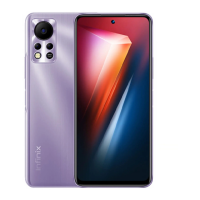
| Colors | Purple |

 To Next Page