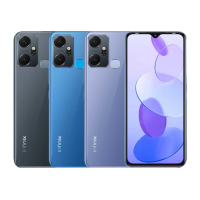
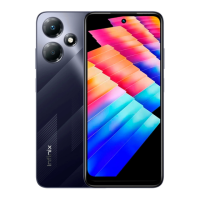
Need help?
Do you have a question about the Infinix X6812 and is the answer not in the manual?
Identifies the location of the front camera on the device.
Describes the location and function of the volume up button.
Describes the location and function of the volume down button.
Describes the location and function of the power button.
Details FCC compliance requirements for device labelling.
Explains how unauthorized modifications can void user authority.
Details Specific Absorption Rate (SAR) compliance for radio wave exposure.
Discusses USA (FCC) SAR limits and device testing results.
Provides guidelines for maintaining separation distance for body-worn accessories.
This document serves as the user manual for the Infinix X6812, providing essential information for its operation, maintenance, and regulatory compliance.
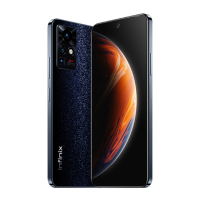
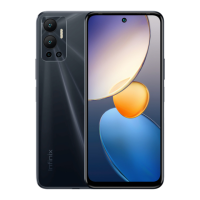
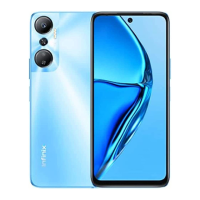
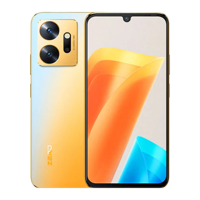
The Infinix X6812 is a mobile phone designed for everyday communication and various smart functionalities. Its core functions include making calls, sending messages, and accessing the internet. The device features a front camera for selfies and video calls, and standard volume and power keys for interaction.
Physical Interaction: The device's physical layout includes a front camera, a volume up key, a volume down key, and a power key. These keys are strategically placed for easy access and intuitive control of the phone's functions. The power key is used to turn the device on/off and to lock/unlock the screen, while the volume keys control audio output and can also be used for other functions depending on the application.
SIM/SD Card Installation: To enable cellular connectivity and expand storage, the Infinix X6812 requires the installation of SIM and/or SD cards. The installation process is straightforward:
Charging the Phone: The Infinix X6812 can be charged using either a dedicated charger or by connecting it to a computer via a USB cable. The USB cable is typically included with the phone.
Regulatory Compliance (FCC Caution): The Infinix X6812 adheres to strict regulatory standards, particularly those set by the Federal Communications Commission (FCC) in the USA. This section outlines the device's compliance and provides important information for users regarding potential interference and safe operation.
Labelling Requirements: The device complies with part 15 of the FCC Rules, meaning its operation is subject to two conditions:
Information to User (Modifications): Users are cautioned against making unauthorized changes or modifications to the device. Any alterations not expressly approved by the party responsible for compliance could void the user's authority to operate the equipment. This is a critical point for maintaining the device's regulatory compliance and ensuring its safe and intended operation.
Information to User (Interference): The Infinix X6812 has been tested and found to comply with the limits for a Class B digital device, designed to provide reasonable protection against harmful interference in a residential installation. The device generates and uses radio frequency energy, and if not installed and used according to instructions, it may cause harmful interference to radio communications. In case of interference, users are encouraged to take corrective measures:
Specific Absorption Rate (SAR) Information: The mobile phone meets government requirements for exposure to radio waves. The guidelines are based on standards developed by independent scientific organizations, incorporating a substantial safety margin for all users.
Body-worn Operation (Detailed): This section reiterates the importance of maintaining a minimum separation distance of 1.0 cm between the user's body and the handset, including the antenna, during body-worn operations. This is crucial for complying with RF exposure requirements. Third-party belt-clips, holsters, and similar accessories must not contain any metallic components. Users are advised to use only supplied or approved antennas to ensure compliance and safety.
DTS Technology: The device incorporates DTS technology. For information regarding DTS patents, users can visit http://patents.dts.com. The DTS technology is manufactured under license from DTS Licensing Limited. DTS, the Symbol, and DTS and the Symbol together are registered trademarks or trademarks of DTS, Inc. in the United States and/or other countries. All rights are reserved by DTS, Inc. This indicates the integration of advanced audio processing capabilities within the device.
Operating System: The Infinix X6812 runs on the Android™ operating system. Android is a trademark of Google LLC, signifying that the device benefits from the vast ecosystem of applications and services available through the Android platform.
This comprehensive manual ensures that users have all the necessary information to operate, maintain, and understand the regulatory compliance of their Infinix X6812 mobile phone.
 General
| SIM | Dual SIM (Nano-SIM, dual stand-by) |
|---|---|
| Resolution | 720 x 1640 pixels (~263 ppi density) |
| Operating System | Android 11, XOS 7.6 |
| Main Camera Video | 1080p@30fps |
| Selfie Camera Features | Dual-LED flash |
| Selfie Camera Video | 1080p@30fps |
| Loudspeaker | Yes |
| 3.5mm jack | Yes |
| GPS | Yes, with A-GPS |
| NFC | No |
| Radio | FM radio |
| Battery Type | Li-Po 6000 mAh, non-removable |
| Model | X6812 |
| Status | Available |
| Build | Glass front, plastic back, plastic frame |
| Display Type | IPS LCD |
| Display Size | 6.82 inches |
| CPU | Octa-core |
| Internal Storage | 64GB 4GB RAM, 128GB 4GB RAM |
| RAM | 4GB |
| Main Camera Features | Quad-LED flash, panorama, HDR |
| Selfie Camera | 8 MP |
| WLAN | Wi-Fi 802.11 a/b/g/n/ac, dual-band, Wi-Fi Direct |
| USB | USB On-The-Go |
| Sensors | Fingerprint, accelerometer, proximity, compass |
| Charging | 18W |
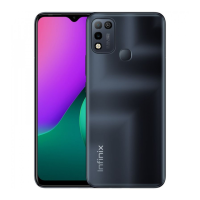
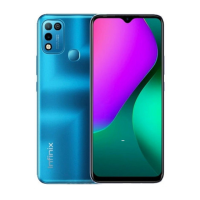
| Colors | Black, Green |
| Bluetooth | Yes |

 To Next Page