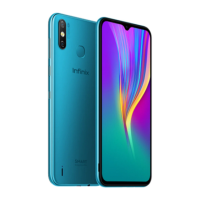
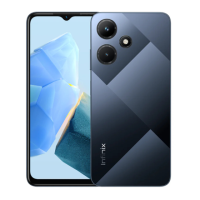
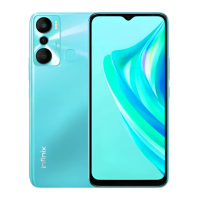
This document serves as the user manual for the Infinix X693, providing essential information for its operation, maintenance, and compliance. The manual begins with an explosion diagram, detailing the internal components of the device, followed by a "Know your phone" section that outlines the external features and their functions. Subsequent sections cover basic setup procedures such as SIM/SD card installation and charging, and conclude with important regulatory statements regarding FCC compliance and SAR information.
The Infinix X693 is a mobile phone designed for communication and various smart device functionalities. Its core function is to allow users to make calls, send messages, and access the internet, supported by a robust internal architecture. The device is equipped with a 6.95 HD (CTP+LCM) display, indicating a large screen suitable for media consumption and general use.
Usage Features:
The device's external layout is straightforward, featuring standard controls for ease of use.
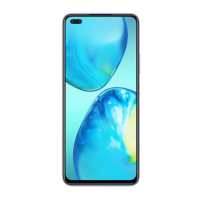
- Front Camera: Positioned at the top of the display, the front camera is used for selfies, video calls, and other applications requiring a forward-facing lens.
- Volume Keys: The "Volume + key" and "Volume - key" are located on the side of the device, allowing users to adjust audio levels for calls, media playback, and notifications. These keys typically also serve secondary functions, such as camera zoom or scrolling in certain applications.
- Power Key: Also situated on the side, the "Power key" is multi-functional. It is used to turn the device on or off, wake the screen, or put it to sleep. A long press often brings up power options like restart or emergency mode.
SIM/SD Card Installation:
The device supports both SIM cards for network connectivity and SD cards for expandable storage. The installation process is designed to be user-friendly:
- Power Off: Users must first power off the mobile phone to ensure safe installation and prevent potential data corruption or hardware damage.
- Tray Access: The SIM/SD card tray is typically located on the side of the device and can be ejected using a SIM ejector tool (usually provided with the phone).
- Card Placement: The manual provides a visual guide for correctly placing the SIM 1, SIM 2, and SD cards into their respective slots within the tray. This ensures proper recognition and functionality of the cards. The device supports dual SIM functionality, allowing users to manage two different phone numbers or network providers simultaneously. The SD card slot provides additional storage for photos, videos, apps, and other files, augmenting the device's internal memory.
Charging the Phone:
The Infinix X693 is charged via a USB cable, which can be connected to a charger or a computer.
- Plug Orientation: Users are reminded to pay attention to the front and back of the plug to ensure correct insertion into the device's charging port. Modern USB-C ports are reversible, simplifying this step, but older micro-USB ports require specific orientation.
- Charger and Cable Compatibility: A critical instruction is to "Use only INFINIX charger and cables." This emphasizes the importance of using original or approved accessories. Using unauthorized chargers or cables can lead to several issues:
- Device Damage: Incompatible charging accessories may supply incorrect voltage or current, potentially damaging the device's battery or internal charging circuitry.
- Invalidation of Warranty: The manual explicitly states that using other chargers or cables "will invalidate your phone warranty." This is a significant point for users, as it means any issues arising from third-party accessories will not be covered by the manufacturer.
- Safety Risks: Non-compliant chargers can pose safety risks, including overheating, short circuits, or even fire hazards.
Maintenance Features (Implicit):
While the manual does not explicitly list "maintenance features," several aspects imply how the device is designed for serviceability and longevity:
-
Explosion Diagram: The detailed "Explosion diagram specification" is a key document for maintenance and repair. It lists and illustrates all major components, including:
- Display Assembly: (CTP+LCM) 6.95 HD, Front cover asm.
- Main Board: PCBA MAIN.
- Cameras: CAM FF 2M (Front Camera 2 Megapixel), CAM AF 64M (Auto Focus 64 Megapixel), CAM AF 8M (Auto Focus 8 Megapixel), CAM FF 2M (Front Camera 2 Megapixel), Rear flash lens, Cam support, Rear cam deco, Cam lens ad, Cam lens. The presence of multiple cameras with varying specifications suggests a focus on photography capabilities.
- Connectivity: Coaxial cable, Card holder.
- Audio Components: REC (Receiver), SPK (Speaker), SPK frame asm.
- Power Components: Battery, Battery cover asm.
- Input/Output: Side key fpc (flexible printed circuit), Fingerprint module.
- Structural Components: Screw (M1.4L3.5D2.5H0.5, M1.4L2.5D2.5H0.5), PCBA SUB (Sub Printed Circuit Board Assembly), MIDDLE frame asm.
- Haptic Feedback: Motor.
- Interconnects: FPC MAIN (Main Flexible Printed Circuit).
This diagram is invaluable for technicians, allowing them to identify, locate, and replace specific parts during repairs. The inclusion of screw specifications (e.g., M1.4L3.5D2.5*H0.5) further aids in proper reassembly and ensures that the correct fasteners are used, maintaining the device's structural integrity. The modular design, evident from the separate listing of components like "Front cover asm," "PCBA MAIN," and "Battery cover asm," suggests that individual parts can be replaced, extending the device's lifespan beyond a single component failure.
-
Regulatory Compliance (FCC Statement): The FCC statement ensures that the device is designed and manufactured to operate within specific regulatory limits, which indirectly contributes to its reliability and safety.
- Interference Management: The device is designed to comply with Part 15 of the FCC Rules, meaning it should not cause harmful interference and must accept any interference received. This ensures stable operation in various electromagnetic environments.
- User Authority: The warning against unauthorized changes or modifications ("could void the user's authority to operate the equipment") discourages users from tampering with the device, which could lead to malfunctions or safety issues. This promotes proper usage and prevents actions that might compromise the device's designed performance and safety.
- RF Exposure Guidelines (SAR Information Statement): The detailed SAR information confirms that the device meets government-established limits for radiofrequency energy exposure. This is a crucial safety feature, ensuring that the device is safe for human use under normal operating conditions. The tests performed at the ear and on the body (with specific separation distances) demonstrate the manufacturer's commitment to user safety and compliance with international standards. The recommendation to use only supplied or approved body-worn accessories further reinforces safe usage practices.
In summary, the Infinix X693 is a feature-rich mobile phone with a focus on user experience, safety, and a design that implicitly supports maintenance through its modular construction and detailed component breakdown. The emphasis on using original accessories for charging and the comprehensive regulatory compliance information underscore the manufacturer's commitment to product quality and user well-being.

 Need help?
 General

 To Next Page