13
Problem Solution Result
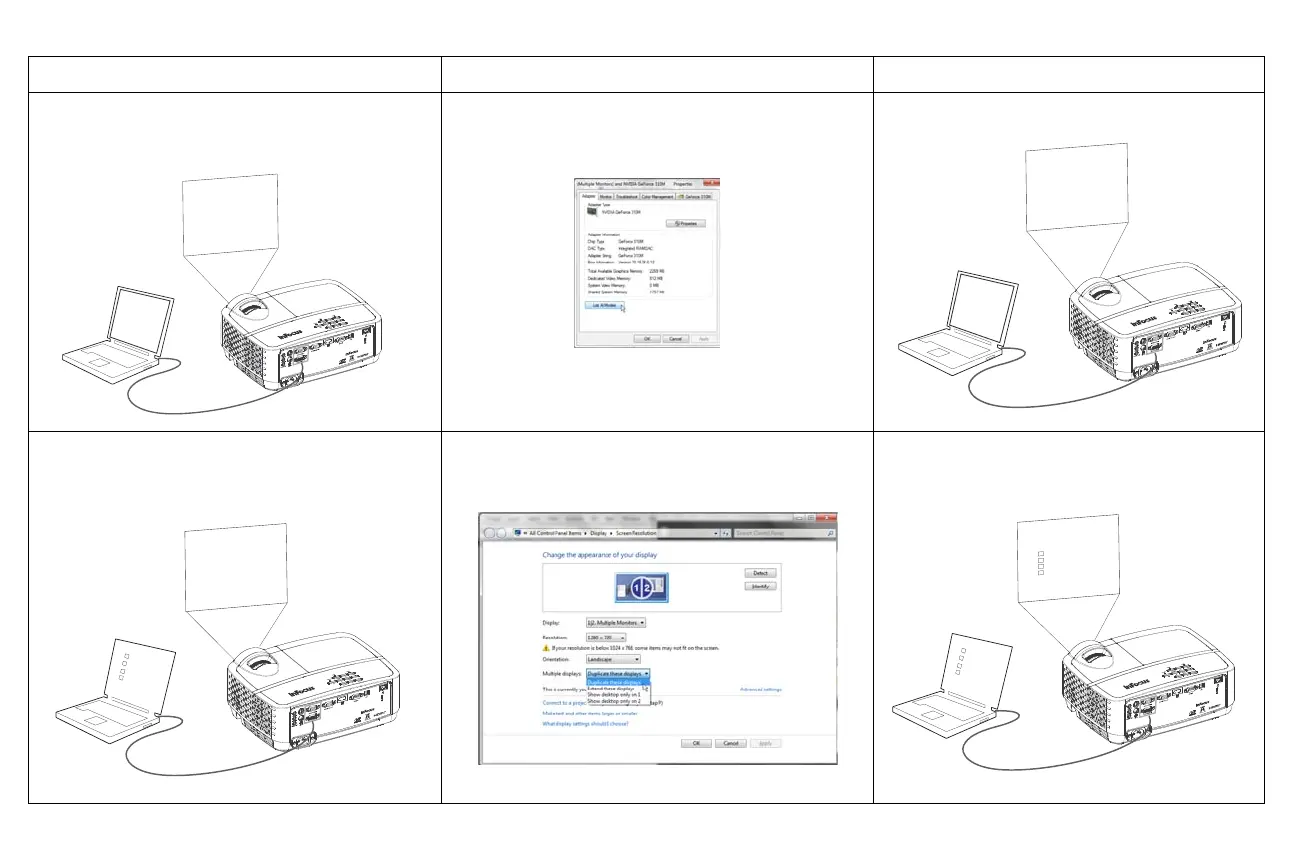
No computer image, just the words “Signal out of
range”
Press the Auto Image button on remote
Adjust computer refresh rate Varies per operating
system.
You may also need to set a different resolution on your
computer, as shown in the following problem, “image
fuzzy or cropped”
Computer image projected
Only my laptop’s background appears, not the
Desktop icons
Change the Multiple Display setting to "Duplicate these
displays". Varies per operating system.
Background and Desktop projected
S-VIDEO
USB-B
A
Signal out of
the range


 To Next Page