38
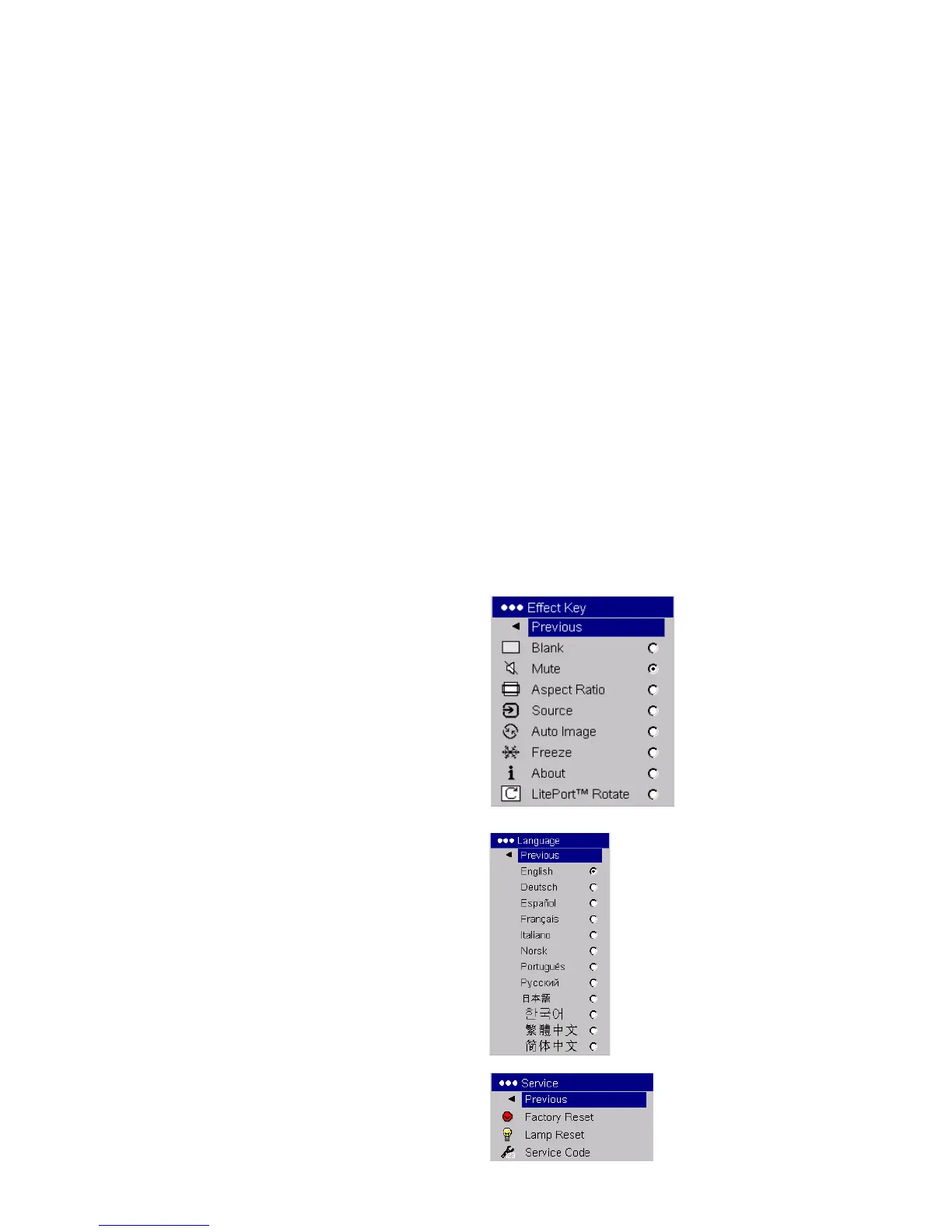
Effect Key: allows you to assign a different function to the Effect button on
the remote to quickly and easily use the effect. Only one effect can be
enabled at a time. Highlight an effect and press Select to choose a different
one. The default effect is About.
Blank: shows an empty screen.
Mute: turns off all sound.
Aspect Ratio: sets the ratio of the image width to image height.
Source: cycles through the available sources.
Auto Image: causes computer sources to be reacquired.
Freeze: pauses the projected image.
About: displays the About menu.
LitePort Rotate: rotates an image clockwise that is displayed with
LitePort.
Language: allows you to select a language for the onscreen display of
menus and messages.
Service: to use these features, highlight them and press Select.
Factory Reset: restores all settings (except Lamp Hours) to their default
after displaying a confirmation dialog box.
Lamp Reset: resets the lamp hours counter in the About menu to zero. Do
this only after changing the lamp. It displays a confirmation dialog box.
Service Code: only used by authorized service personnel.
Effect Key
Language
Service



 To Next Page