37
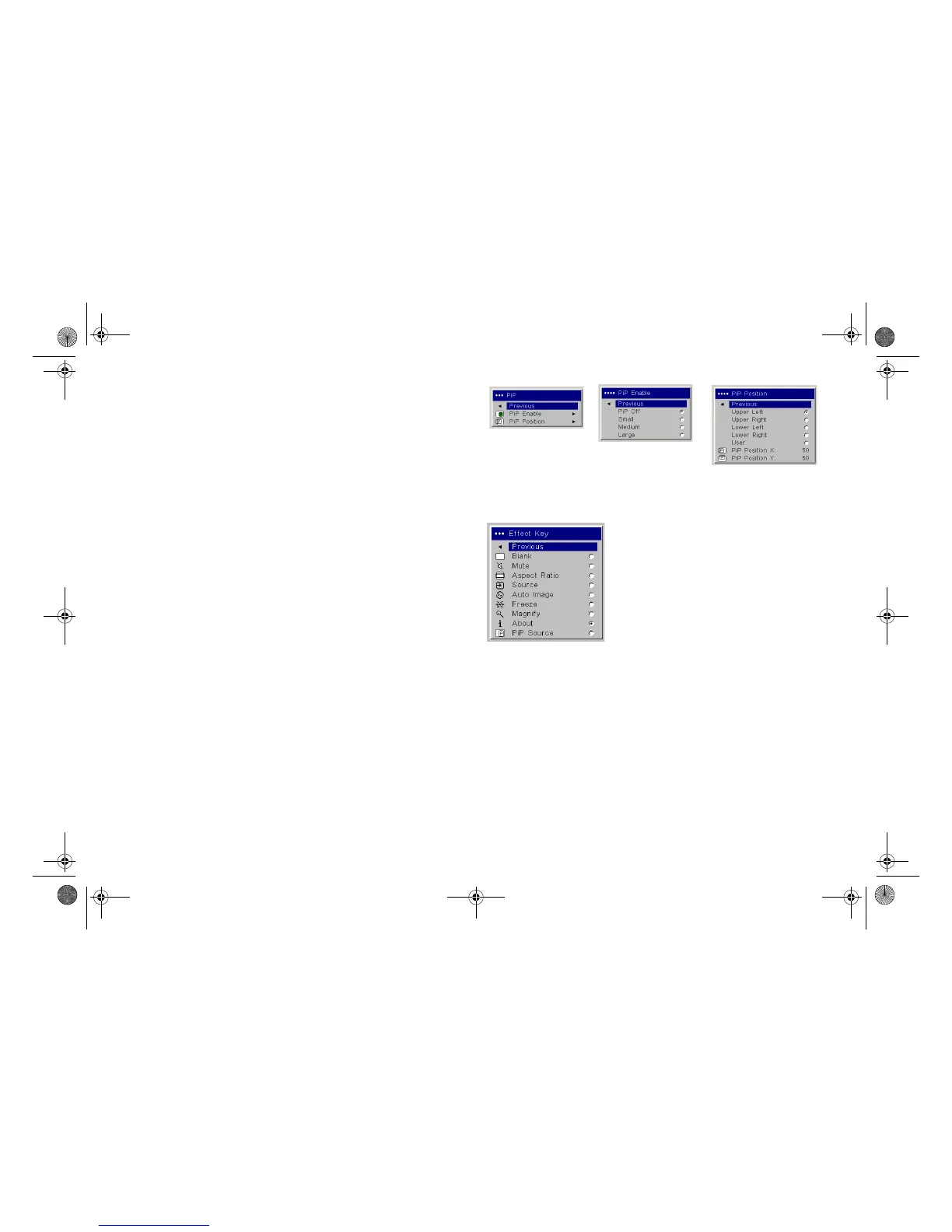
PiP: (Picture in Picture) allows you to overlay a smaller window showing
the video source on top of the larger computer source window. Only video
sources 2 and 3 (composite and S-video) support PiP. You must have both a
computer and video source connected to use PiP. You can’t show a com-
puter image in the smaller PiP window, only a video image. You can select a
small, medium, or large window. You can also move the PiP window on the
screen using the PiP Position X and Y options, or the Upper left, Upper
Right, Lower Left, or Lower Right options in the menu. Press the up and
down arrows to change the position.
Effect Key: allows you to assign a different function to the Effect button on
the remote to quickly and easily use the effect. Only one effect can be
enabled at a time. Highlight an effect and press Select to choose a different
one.
Blank: shows an empty screen.
Mute: turns off all sound.
Aspect Ratio: sets the ratio of the image width to image height.
Source: cycles through the available sources.
Auto Image: causes computer sources to be reacquired.
Freeze: pauses the projected image.
Magnify: Is the default effect. It allows you to enlarge a section of the
projected image.
About: displays the About menu.
PiP Source: changes the video source of Picture in Picture smaller win-
dow display on the projected screen.
PiP menu
PiP Enable
PiP Position
Effect Key
LP840-850-860 User's Guide-02.fm Page 37 Friday, February 25, 2005 12:58 PM



 To Next Page