INFOCUS
18
(Effective only in Bright mode)
Anti-Flicker Flicker: Anti-flicker. Optional
items: Off, 50Hz, 60Hz (Effective only in Auto,
Bright mode)
Iris: Aperture value. Optional items: F1.8,
F2.0,F2.4,F2.8,F3.4,F4.0,F4.8,F5.6,F6.8,F8.0,F9.6
,F11.0,Close( Effective only in Manual, AAE
mode)
Shutt: Shutter value. Optional items:
1/30,1/60,1/90,1/100,1/125,1/180,1/250,1/350,1/5
00,1/725,1/1000,1/1500,1/2000,1/3000,1/4000,1/6
000,1/10000 (Effective only in Manual, SAE
mode)
3. COLOR
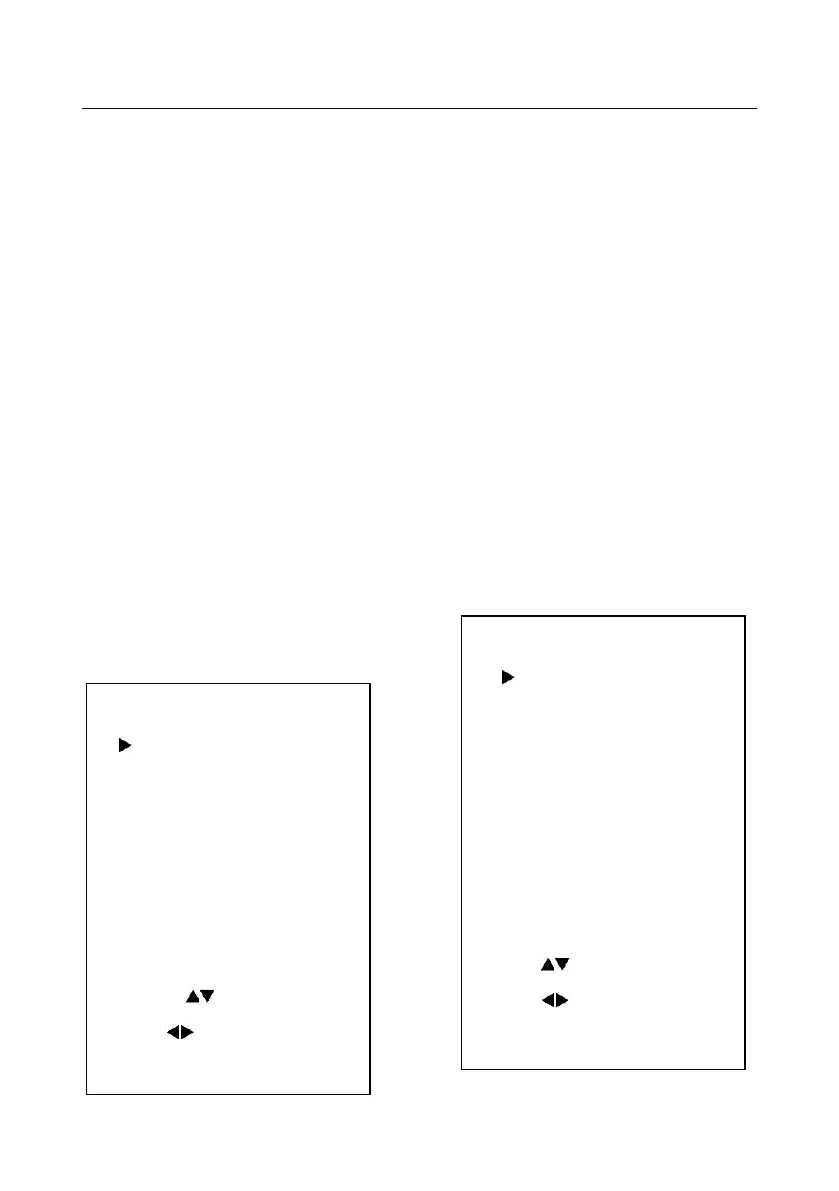
Move the cursor to the Color item in the main
menu and press [home] button, COLOR menu
appears, as shown in the following figure.
WB-Mode: White balance mode. Optional
items:Auto,3000K/Indoor,4000K,5000K/Outdoor,
6500K-1,6500K-2,6500K-3,One Push, Manual
RG: Red gain. Optional items: 0~255(Effective
only in Manual mode)
BG: Blue gain. Optional items: 0~255
(Effective only in Manual mode)
Sat.: Saturation. Optional items: 60% ~ 200%.
Hue: Chroma adjustment, Optional items:0 ~ 14
AWB sens: The white balance sensitivity,
Optional items: Normal, High, Low.
4. IMAGE
Move the cursor to the Image item in the main
menu and press [home] button, IMAGE menu
appears, as shown in the following figure.
Luminance: Brightness adjustment. Optional
IMAGE
Luminance 6
Contrast 6
Sharpness 1
Flip-H Off
Flip-V Off
B&W-Mode Off
Gamma Default
Styel Norm
Select Item
Change Value
[Menu] Back
COLOR
WB Mode Auto
Saturation 90%
Hue 7
AWB sens Low
Select Item
Change Value
[Menu] Back


 To Next Page