INFOCUS
17
Menu Setting
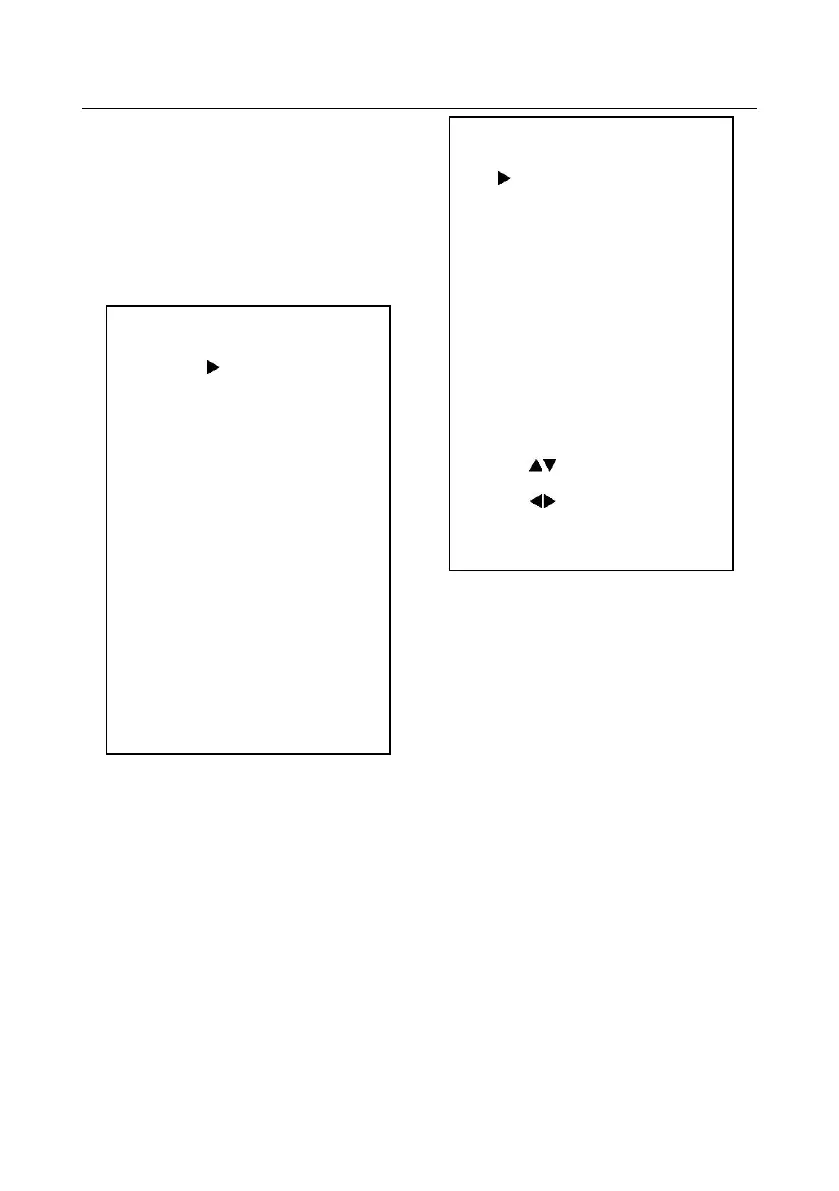
1. MENU
Press [MENU] button to display the main menu
on the normal screen, using arrow button to move
the cursor to the item to be set. Press the [HOME]
button to enter the corresponding sub-menu.
2. EXPOSURE
Move the cursor to the Exposure item in the
main menu and press [home] button, EXPOSURE
menu appears, as shown in the following figure.
Mode: Exposure mode. Optional items: Auto,
Manual, SAE, AAE, Bright
ExpCompMode: Exposure compensation mode,
Optional items: On, Off (Effective only in Auto
mode)
ExpComp: Exposure compensation value,
Optional items:-7 ~ 7(Effective only in ExpComp
Mode item to On)
Gain Limit: Maximum gain limit. Optional
items: 0 ~ 15 (Effective only in Auto,
AAE ,Bright
mode)
Backlight: Set the backlight compensation,
Optional items: On, Off (Effective only in Auto
mode )
DRC: DRC strength, Optional items: 0 ~ 8.
Bright: Intensity control, Optional items: 00~17.
EXPOSURE
Mode Auto
ExpCompMode Off
Backlight Off
Gain Limit 3
Anti-Flicker 50Hz
DRC 6
Select Item
Change Value
[Menu] Back
MENU
Exposure
Color
Image
P/T/Z
Noise Reduction
Setup
Restore Default
[Home] Enter
[Menu] Exit


 To Next Page