EasyManua.ls Logo

Ingersoll-Rand SE - User Manual

Ingersoll-Rand SE
17 pages
Print Icon
To Next Page IconTo Next Page
Loading...
Rotary Training Manual Page 1
Ingersoll Rand Global Service Education Team
Issue: 05/Davidson, December, 2008. Ingersoll Rand Proprietary Information
Controls
SE Controller
SE Controller ............................................................. 3
Software .................................................................... 4
Current Status ........................................................... 6
SE Panel Display ...................................................... 7
Hidden Buttons ......................................................... 8
Warnings ................................................................... 9
Alarms ....................................................................... 10
Options ...................................................................... 12
Calibration Procedure ............................................... 14
UP Series Controller ................................................. 16
Short Test ................................................................. 17
Basic Rotary Manual
GDSTP-24280-MAN-0005_P1
CP-1010-010, 020, 030
Goodnal STP ST041 Site Services (Ingersoll Rand SE Controller Basic Rotary Manual) Vendor Manual
Q-Pulse Id VM412
Active 29/10/2013
Page 1 of 17
Question and Answer IconNeed help?

Do you have a question about the Ingersoll-Rand SE and is the answer not in the manual?

Summary

Basic Rotary SE Controls

SE Controller Overview

Introduces the SE controller, its purpose, and basic operation for IR compressors.

Software and Controller Description

SE Controller Hardware

Explains the SE controller's printed circuit board, CPU, and EPROM.

Operator Interface Controls

SE Controller Buttons

Details the functions of buttons like Start, Stop, Load, Unload, and Display Select.

Current Status Monitoring

Displaying Unit Status

Describes how the SE controller displays current operating parameters like pressure and temperature.

SE Panel Display Modes

Explains normal display messages for running and non-running compressor states.

Advanced Functions

Hidden Buttons Access

Explains how to access hidden functions like Last Alarm Recall for advanced diagnostics.

Configuration and Settings

Factory Set Points

Lists available factory set points for language, pressure units, and starter options.

Customer Set Points

Details the ten main set points adjustable by the operator for compressor control.

Intellisys Warning Messages

High Air End Discharge Temperature

Describes the warning for excessive air end discharge temperature.

Change Separator Element Warning

Explains the warning for separator element pressure differential.

Service Due Indicator

Details the warning message indicating scheduled maintenance is due.

Intellisys Alarm Shutdowns

Low Sump Pressure Alarm

Explains the alarm condition for low wet-side sump pressure.

High Air Pressure Alarm

Describes the alarm for exceeding package discharge pressure limits.

High Airend Temperature Alarm

Details the alarm for excessive air/oil temperature leaving the airend.

Common Fault Conditions

Starter and Motor Overload Faults

Covers faults related to starters, main motor overload, and fan motor overload.

Sensor and Power Faults

Details sensor failures, remote stop issues, and lack of control power.

Controller Options and Settings

Automatic Start;Stop Options

Explains settings like AUTO S/S, SEQUENCER, REMOTE S/S, and LOW AMBIENT.

Emergency Stop Function

Describes the function and reset procedure for the Emergency Stop button.

Power Conservation System

Auto Shutdown Feature

Explains the automatic shutdown feature for energy saving and reduced running time.

Calibration Procedures

Pressure Transducer Calibration

Details the steps for calibrating the 3APT pressure transducer for accurate readings.

Sensor and Controller Information

2 ATT Temperature Sensor

Describes the 2 ATT thermistor sensor and its role in monitoring temperature.

Controller Terminal Assignments

Provides a chart of input/output signals, terminals, and voltage states for wiring.

UP Series Compressor Enhancements

Dual Pressure Set-point Control

Explains setting and toggling between two different pressure set points for flexibility.

UP Series Control Panel

Describes the front panel controls and indicators for UP series compressors.

Knowledge Check

Short Test Questions

Provides questions to test understanding of SE Controller functions, warnings, and alarms.

Summary

Basic Rotary SE Controls

SE Controller Overview

Introduces the SE controller, its purpose, and basic operation for IR compressors.

Software and Controller Description

SE Controller Hardware

Explains the SE controller's printed circuit board, CPU, and EPROM.

Operator Interface Controls

SE Controller Buttons

Details the functions of buttons like Start, Stop, Load, Unload, and Display Select.

Current Status Monitoring

Displaying Unit Status

Describes how the SE controller displays current operating parameters like pressure and temperature.

SE Panel Display Modes

Explains normal display messages for running and non-running compressor states.

Advanced Functions

Hidden Buttons Access

Explains how to access hidden functions like Last Alarm Recall for advanced diagnostics.

Configuration and Settings

Factory Set Points

Lists available factory set points for language, pressure units, and starter options.

Customer Set Points

Details the ten main set points adjustable by the operator for compressor control.

Intellisys Warning Messages

High Air End Discharge Temperature

Describes the warning for excessive air end discharge temperature.

Change Separator Element Warning

Explains the warning for separator element pressure differential.

Service Due Indicator

Details the warning message indicating scheduled maintenance is due.

Intellisys Alarm Shutdowns

Low Sump Pressure Alarm

Explains the alarm condition for low wet-side sump pressure.

High Air Pressure Alarm

Describes the alarm for exceeding package discharge pressure limits.

High Airend Temperature Alarm

Details the alarm for excessive air/oil temperature leaving the airend.

Common Fault Conditions

Starter and Motor Overload Faults

Covers faults related to starters, main motor overload, and fan motor overload.

Sensor and Power Faults

Details sensor failures, remote stop issues, and lack of control power.

Controller Options and Settings

Automatic Start;Stop Options

Explains settings like AUTO S/S, SEQUENCER, REMOTE S/S, and LOW AMBIENT.

Emergency Stop Function

Describes the function and reset procedure for the Emergency Stop button.

Power Conservation System

Auto Shutdown Feature

Explains the automatic shutdown feature for energy saving and reduced running time.

Calibration Procedures

Pressure Transducer Calibration

Details the steps for calibrating the 3APT pressure transducer for accurate readings.

Sensor and Controller Information

2 ATT Temperature Sensor

Describes the 2 ATT thermistor sensor and its role in monitoring temperature.

Controller Terminal Assignments

Provides a chart of input/output signals, terminals, and voltage states for wiring.

UP Series Compressor Enhancements

Dual Pressure Set-point Control

Explains setting and toggling between two different pressure set points for flexibility.

UP Series Control Panel

Describes the front panel controls and indicators for UP series compressors.

Knowledge Check

Short Test Questions

Provides questions to test understanding of SE Controller functions, warnings, and alarms.

Overview

Ingersoll Rand SE Controller

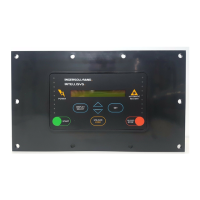
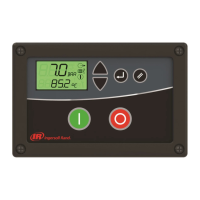
The Ingersoll Rand SE Controller is a microprocessor-based control system designed for 50-100hp (37-75kW) IR Contact Cooled Rotary Compressors. It utilizes a finger-touch membrane for operation and setting control parameters, with information displayed on a Liquid Crystal Display (LCD) showing temperature and pressure readings. The Intellisys system monitors the compressor and automatically issues warnings or alarms to shut down the compressor if pre-programmed limits are exceeded. A network of pressure and temperature sensors, relays, and switches supports the controller's decision-making process.

Function Description

The SE Controller's primary function is to manage and monitor the compressor's operating functions. It uses software programmed into an EPROM (Erasable Programmable, Read Only Memory) chip to execute all necessary operations. The controller continuously monitors various parameters and provides real-time status updates.

Key Functions:

  • Compressor Operation: Manages starting, stopping, loading, and unloading of the compressor based on air demand and set points.
  • Monitoring: Continuously monitors package discharge pressure, airend discharge temperature, sump pressure, separator delta P, total hours, and loaded hours.
  • Warning System: Displays warning messages and flashes the alarm LED when a condition approaches a critical limit, allowing the compressor to continue running while alerting the operator to a potential issue. Warnings can be reset by pressing the SET button once.
  • Alarm System: Initiates an emergency stop, de-energizes all contactors and solenoids, energizes the alarm relay, illuminates the alarm LED, and displays an alarm message when a critical fault occurs. Alarms require rectification of the fault and pressing the SET button twice within three seconds to reset.
  • Set Point Management: Allows operators to adjust various set points such as off-line pressure, on-line pressure, modulation/ACS, display time, and starter options.
  • Calibration: Supports calibration of the pressure transducer (3APT) to ensure accurate pressure readings.

Important Technical Specifications

  • Controller Type: Microprocessor-based with touch membrane technology.
  • Display: Backlit LCD display with green LED indicators.
  • Software Storage: EPROM (28-pin chip).
  • Power Supply: 115/120 Vac (J5), 16Vac (J4), 5Vdc (J3, J2, J1).
  • Pressure Sensor (3APT): Monitors package discharge pressure and sump pressure. Output range: 0-50mV for 0-200 PSI (0-13.8 bar).
  • Temperature Sensor (2ATT): Monitors airend discharge temperature. Output range: 1.5-5Vdc (decreases with increasing temperature).
  • Remote Station Distance: Maximum 20 meters (65 feet) without slave relays.
  • Separator Pressure Drop Warning: Triggered if differential is greater than 12 PSI (0.8 bar).
  • Separator Pressure Drop Alarm: Triggered if differential increases to 15 PSI (1 bar).
  • High Airend Temperature Warning: Occurs at 97% of high temperature set point (221°F / 106°C).
  • High Airend Temperature Alarm: Occurs at 228°F (109°C) when running, or if a stopped compressor is greater than 217°F (103°C).
  • Low Sump Pressure Alarm: Triggered if wet-side sump pressure falls below 15 psi (1 bar).
  • High Air Pressure Alarm: Triggered if package discharge pressure is 15 psi (1 bar) above the rated pressure.
  • Auto Shutdown Power Conservation System (PCS): Adjustable auto shutdown from 2 to 20 minutes, with a fixed 8-minute run time from start.

Usage Features

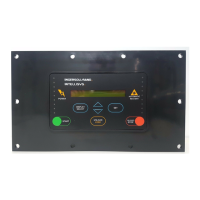
  • User Interface: Intuitive touch pad with dedicated buttons for Start, Scroll Arrows, Unloaded Stop, Set, Unload/Load, Hidden Right, and Display Select.
  • Display Select Button: Scrolls through various status displays (e.g., Package Discharge Pressure, Airend Discharge Temperature, Sump Pressure, Total Hours, Loaded Hours).
  • SET Button: Used to access and save operator set points. Pressing it twice saves a new value and moves to the next set point.
  • Start Button: Initiates compressor operation when "Ready To Start" is displayed.
  • Stop Button: Activates the unloaded stop sequence. A quick press stops an unloaded unit immediately; a loaded unit will unload and run for 5-10 seconds before stopping. Pressing it when stopped performs an LED self-test and displays software version.
  • Arrows (Up/Down): Used to navigate lists, increase/decrease set point values, and calibrate the 4APT pressure transducer.
  • Unload Button: Causes the compressor to unload and remain unloaded.
  • Load Button: Causes the compressor to load if conditions permit.
  • Hidden Buttons (Hidden Left, Hidden Right): Provide access to advanced features for trained service personnel.
    • Hidden Left (Last Alarm Recall): Accessed from "READY TO START" or "START LOCAL/REMOTE" by pressing Unload/Load once, then Hidden Left within three seconds. Displays last alarm and operating conditions at the time of the alarm.
    • Hidden Right (Factory Set Points): Accessed from "READY TO START" or "START LOCAL/REMOTE" by pressing Unload/Load once, then Hidden Right within three seconds. Allows access to language settings, temperature/pressure unit selections, rated pressures, starter options, LCD contrast, hour meter settings, and modulation On/Off.
  • Remote Start/Stop: Optional feature allowing remote control of compressor operation. Requires specific wiring and enablement in the set point routine.
  • Auto Shutdown Power Conservation System (PCS): Standard feature for energy saving by reducing off-load running time before shutdown.

Maintenance Features

  • Warning Messages: Alert operators to conditions requiring attention, such as "Change Separator Element" or "Service Due," allowing proactive maintenance.
  • Alarm Messages: Indicate critical faults that require immediate attention and shut down the compressor to prevent damage.
  • Total Hours and Loaded Hours Display: Provides valuable information for scheduling routine maintenance based on compressor usage.
  • EPROM Replacement: Software updates are performed by replacing the EPROM chip. Anti-static precautions (kit CPN 93457596) are crucial during replacement to prevent damage.
  • Pressure Transducer Calibration: The controller supports calibration of the 3APT pressure transducer to maintain accuracy. This procedure is performed when the compressor is stopped and without mains power.
  • Temperature Sensor (2ATT) Replacement: The thermistor housing has SAE straight threads for easy removal and replacement if the sensor fails. No adjustment is required.
  • Troubleshooting Information: The manual provides detailed descriptions of various alarms (e.g., Starter Fault, Main Motor Overload, Fan Motor Overload, Temperature Sensor Failure, Calibration Failure, No Control Power) and their potential causes, aiding in diagnosis and repair.
  • Controller Chart: Provides a comprehensive list of input/output terminals, their functions, and expected voltage readings for both closed and open contact states, which is essential for electrical troubleshooting.

Ingersoll-Rand SE Specifications

General IconGeneral
BrandIngersoll-Rand
ModelSE
CategoryController
LanguageEnglish

Related product manuals