EasyManua.ls Logo

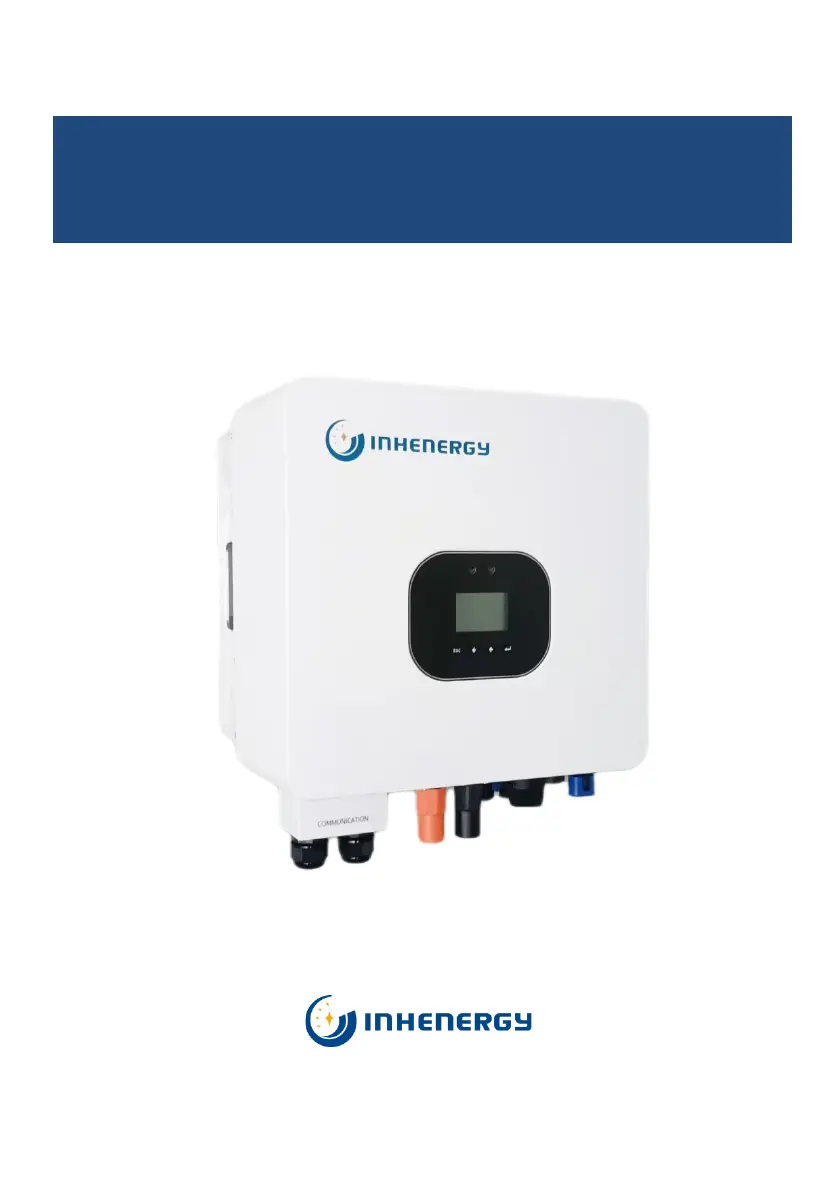
INHENERGY HI-3K-SL - User Manual

INHENERGY HI-3K-SL
53 pages
Print Icon
To Next Page IconTo Next Page
Loading...
V1.3
INHENERGY CO., LTD
User Manual
HI-3K-SL, HI-3.6K-SL, HI-4K-SL,HI-4.6K-SL, HI-5K-SL, HI-6K-SL

Questions and Answers

  • W
    wesley45Sep 7, 2025
    What does 'Battery Open' mean on my INHENERGY HI-3K-SL Inverter?
    • M
      Michael HerringSep 7, 2025
      If your INHENERGY Inverter shows a 'Battery Open' error, verify that the battery connection is properly secured. Also, check that all switches between the battery and the inverter are turned on.
  • N
    Nicholas HernandezAug 25, 2025
    Why does my INHENERGY HI-3K-SL say 'No AC Input'?
    • S
      Scott GibsonAug 25, 2025
      If your INHENERGY Inverter displays 'No AC Input', take the following steps: 1. Confirm whether the grid is lost. 2. Check if the grid connection is properly established. 3. Ensure that all switches on the cable are turned on.
  • N
    Nathaniel RussoAug 25, 2025
    What does 'Battery Open' mean on my INHENERGY HI-3K-SL Inverter and how to fix it?
    • A
      Alan ClarkAug 26, 2025
      If your INHENERGY Inverter shows 'Battery Open', verify that: * The battery connection is secure. * All switches between the battery and the inverter are turned on.
  • C
    crosbyalbertSep 16, 2025
    What does 'BMS Warn' mean on INHENERGY HI-3K-SL?
    • K
      Kevin OdomSep 16, 2025
      If your INHENERGY Inverter displays 'BMS Warn', check the warning information in the lithium battery user manual.
  • G
    gomezbenjaminSep 23, 2025
    What to do if INHENERGY HI-3K-SL Inverter shows 'Model Fault!'?
    • P
      Philip NashSep 23, 2025
      If your INHENERGY Inverter displays 'Model Fault!', check the model settings. If the issue persists after checking, contact the manufacturer.
  • E
    emma39Sep 12, 2025
    What does 'N-PE Fault!' mean on INHENERGY Inverter?
    • L
      Lisa CherrySep 12, 2025
      If your INHENERGY Inverter displays 'N-PE Fault!', check whether the L line and N line are reversed. Also, check whether the PE is properly connected.
  • O
    owileySep 2, 2025
    What to do if my INHENERGY Inverter shows 'BusVolt High!'?
    • C
      Cristian FletcherSep 2, 2025
      If your INHENERGY Inverter displays 'BusVolt High!', check the PV input voltage, ensuring it does not exceed the specified range. Restart the inverter. If the problem persists, contact the manufacturer.
  • A
    Amy Smith DVMSep 3, 2025
    How to fix 'DCI High' error on INHENERGY HI-3K-SL Inverter?
    • C
      Courtney ReyesSep 3, 2025
      If your INHENERGY Inverter displays 'DCI High', try restarting the inverter. If the issue persists, contact the manufacturer.
  • M
    Manuel OrtizSep 23, 2025
    What does 'ARM RX Fault!' mean on INHENERGY HI-3K-SL?
    • L
      Lori MitchellSep 23, 2025
      If your INHENERGY Inverter displays 'ARM RX Fault!', restart the inverter. If the issue persists after restarting, contact the manufacturer.
  • D
    Dr. Tina AtkinsonAug 29, 2025
    What to do if my INHENERGY HI-3K-SL Inverter shows 'EPS Volt Low'?
    • M
      Mary GreenAug 29, 2025
      If your INHENERGY Inverter displays 'EPS Volt Low', check the load on the Back-Up. If an overload has occurred, reduce the load. You can also try restarting the inverter.

Summary

1 Overview

1.1 Product Introduction

Details the function and features of the hybrid inverter series.

2 Notes on this manual

2.1 Validity

Specifies the inverter models covered and the target audience for the manual.

2.2 Symbols in this document

Explains safety symbols used in the manual to prevent injury or damage.

3 Installation

3.1 Check for Physical Damage

Instructions for checking the inverter for damage incurred during transportation.

3.2 Packing List

Details the items included in the inverter package for verification.

3.3 Mounting

Provides conditions and precautions for installing the inverter outdoors.

3.4 Space Requirement

Specifies the minimum clearance dimensions required around the inverter for installation.

3.5 Mounting Steps

Step-by-step guide for physically mounting the inverter onto a wall bracket.

4 Electrical Connection

4.1 PV connection

Details how to connect photovoltaic (PV) panels to the inverter's DC inputs.

4.2 Battery Connection

Explains the procedure for connecting batteries to the inverter, including cable requirements.

4.3 Grid & GEN & Backup Connection

Covers the connection procedures for grid, generator, and backup power sources.

4.4 Earth Connection

Describes how to properly ground the inverter for safety.

4.5 Communication Connection

Details the connection of communication ports for monitoring and data exchange.

CT1 Connection

Explains the connection and function of the CT1 port for current sensing.

Meter Connection (optional)

Details the optional connection of a meter for grid voltage and current monitoring.

BMS Connection

Describes how to connect the Battery Management System (BMS) for battery communication.

DRED Connection

Covers the connection of the DRED device for Australian and New Zealand installations.

1 Safety Precautions

1.1 General safety instructions

Covers fundamental safety guidelines for product installation and operation.

1.2 Parallel system safety instructions

Provides safety guidelines specific to operating inverters in a parallel system.

2 Parallel connection in single phase system

2.1 Parallel connection in single phase system

Details parallel connection for single-phase systems with parallel batteries and up to 3 inverters.

2.2 Parallel connection in single phase system

Details parallel connection for single-phase systems with independent batteries and up to 3 inverters.

2.3 Parameter setting

Explains the parameter settings required for successful parallel operation.

3 Parallel connection in three phase system

3.1 Parallel connection in three phase system

Details parallel connection for three-phase systems with parallel batteries and up to 3 inverters.

3.2 Parallel connection in three phase system

Details parallel connection for three-phase systems with independent batteries and up to 3 inverters.

3.3 Parameter setting

Explains the parameter settings required for successful three-phase parallel operation.

7 LCD Operation

7.1 Enter Setting Interface

Accessing the inverter's setting menus and options.

7.2 Check and Set System Time

Guides on checking and setting the system's current date and time.

7.3 Check and Set the Standard for Grid Connection

Describes how to select and verify the appropriate grid connection standard.

7.4 Check and Set the Battery Type

Explains how to select and configure the connected battery type and its parameters.

7.5 Check and Set the CT1 Type

Details how to set the CT1 type for accurate power measurement in self-consumption mode.

7.6 Check and Set CT2 Type (Optional)

Guides on setting the optional CT2 type for monitoring on-grid inverter power.

7.7 Check and Set Back-up Parameters

Explains how to configure parameters for the inverter's backup power function.

7.8 Inverter Used Under Peak Load shifting Mode.

Configuration and operation of the inverter for peak load shifting functionality.

7.9 Inverter Used Under Self-consumption Mode

Details operation and settings for optimizing self-consumption of generated solar power.

10 Technical Data

11 Appendix

12 Manufacturers Warranty

14 Contact

INHENERGY HI-3K-SL Specifications

General IconGeneral
Max. DC Input Voltage550 V
Nominal AC Output Power3000 W
Max. AC Output Power3300 W
Nominal AC Voltage230 V
Max. Output Current15 A
Efficiency97.5%
Protection DegreeIP65
Output Power3000 W
Peak Power3300 W
Output Voltage230 V
Frequency50/60 Hz
CoolingNatural Convection
Max. DC Input Power4500 W
MPPT Voltage Range125-500 V
Input Voltage125V-500V
Protection FeaturesOvervoltage, Short Circuit
Operating Temperature-25°C to 60°C

Related product manuals