●�� - Press once to make the setting tempera-
ture +1�long press for 2 seconds to make the
setting temperature +1 at 0.1 second. In the clock
setting mode, press 1 time, hour or minute, long
press for 2 seconds, hour or minute at 0.1 second.
●� - Press once to make the setting tempera-
ture -1�long press for 2 seconds to make the
setting temperature -1 at 0.1 second. In the clock
setting mode, press 1 time, hour or minute, long
press for 2 seconds, hour or minute at 0.1 second.
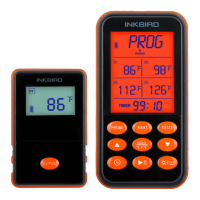
2. Button
●�PROBE - Short press to select probe 1, probe 2,
probe 3 and probe 4 modes or which probe mode is
currently in use. Press and hold for 2 seconds to
enter pairing mode.
●�MEAT-Short press to select the type of meat�
PROG(Program-User Self-Defined), GBEEF(Ground
Beef), GPOUL(Ground Poultry), BEEF, VEAL,CHCKE
(Chicken), PORK, POULT(Poultry), LAMB & FISH and
OVEN�
● TASTE-Short press to select the taste of DONE
(Well Done), WELL(Medium Well), MEDIUM, MED
RARE, and RARE
●� - Short press to set and confirm the
countdown of hours and minutes
●� - , Short press to start or pause the
countdown; long press to restore the count-
down default tim e.
●�OVEN/
°C /°F -��In NON-OVEN mode, short press
to select OVEN mode; in OVEN mode, short press to
select and confirm HI or LO setting temperature;
long press OVEN/�
°C /°F�to switch temperature unit
°F or °C.
●� -Short press, turn on device, and long
press 2 seconds, turn off. In the power-on state,
short press to turn on or off the backlight.
-2-
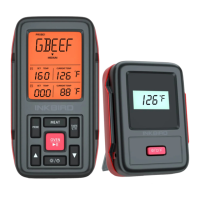
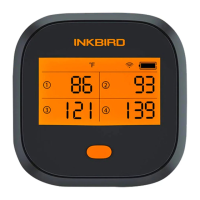
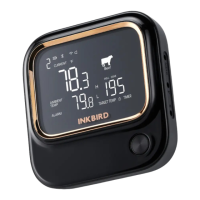
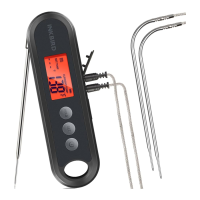
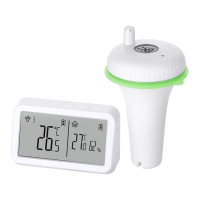
1. Receiver Feature�
● LCD Screen(Liquid Crystal Display) - displays all
icons, temperature and time
● Four probe temperature display
● Programmable alarm with preset temperature for
specific foods
●Under the oven mode, the receiver will alternate
display High Setting Temperature and Low Setting
Temperature.
● 99-Hour,59-Minute Countdown
● Power by single section lithium battery which is
rechargeable, When charging this product, the
adapter standard output should be USB5V, and the
output current should be higher than 500mA.


 To Next Page